

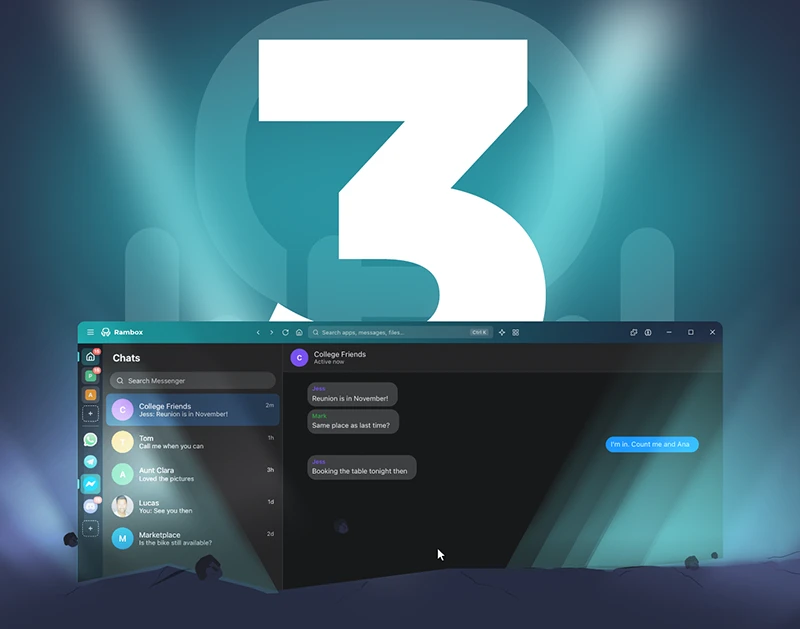
A completely redesigned Rambox, built to make everyday work simpler, faster, and more intuitive.
We’re excited to introduce Rambox 3, one of the biggest updates in Rambox’s history.
This release is about much more than a fresh look or a collection of new features. We’ve redesigned the Rambox experience to help you spend less time navigating between apps, accounts and workspaces, and more time getting things done.
A cleaner interface, faster navigation, powerful new search tools, improved tab management, a new concentration panel and a simpler onboarding experience are just some of the changes you’ll discover.
The goal is simple: less friction, fewer clicks and a smoother way to work across all your apps and contexts.
First, a quick reminder: What is Rambox?
If you’re new here, Rambox is a desktop workspace manager that organizes your apps, accounts and work contexts, while giving you practical tools to navigate, focus and work more efficiently every day.
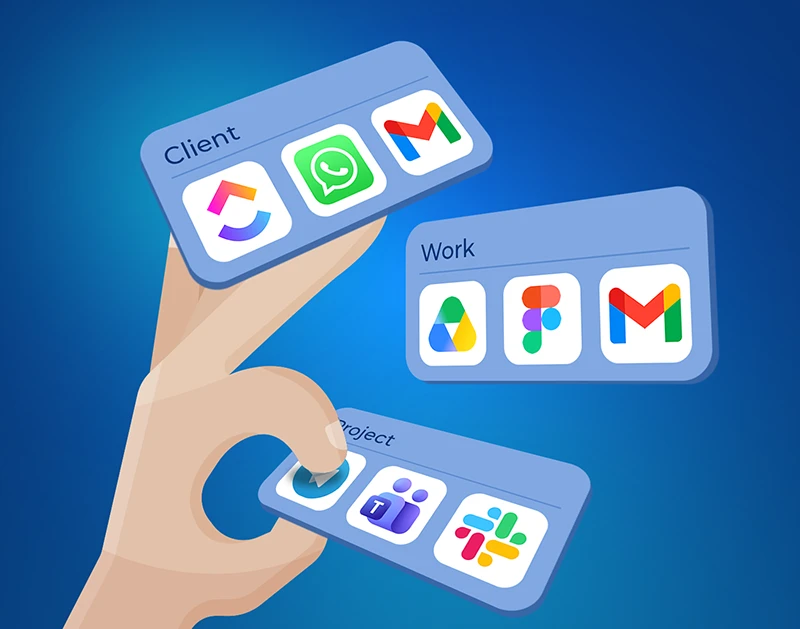
Instead of juggling dozens of browser tabs and windows, you can organize your apps into Workspaces for different clients, projects, roles or tasks. You can also manage multiple accounts of the same service without constantly logging in and out.
Whether you’re moving between client projects, managing different brands or switching from research to communication, Rambox helps you keep the right apps and accounts ready for each work context.
And with Rambox 3, moving between those contexts becomes easier than ever.
What’s new in Rambox 3?
1. A completely redesigned interface: Less friction, more productivity
The first thing you’ll notice when opening Rambox 3 is its new look.
We’ve redesigned the interface to make navigation simpler, reduce unnecessary clicks and give you faster access to the tools you use every day.
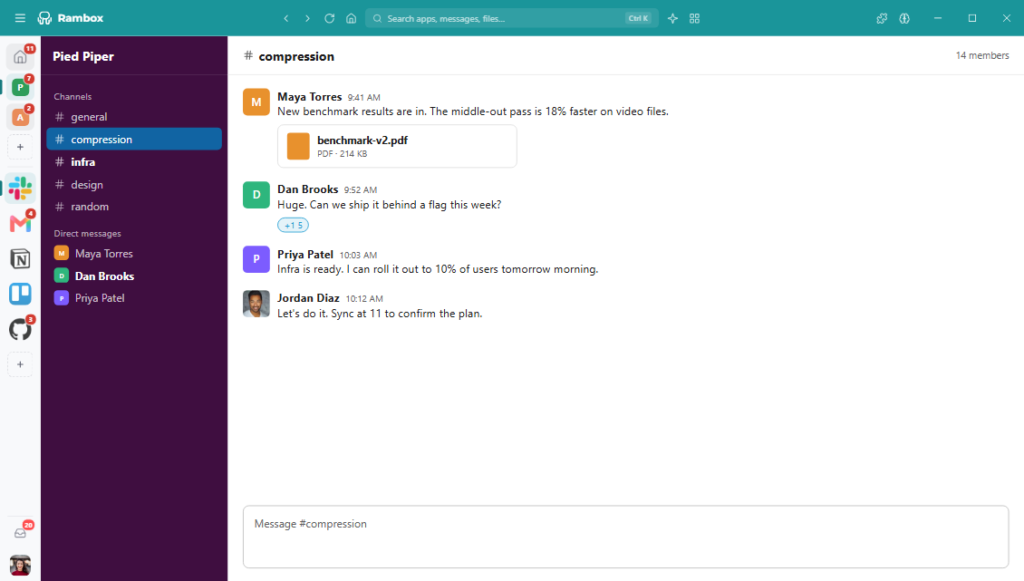
The new layout brings Workspaces and apps together in a redesigned sidebar, with cleaner top navigation and easier access to Rambox’s main tools.
Expand the sidebar to display app names, drag and drop apps between Workspaces, adjust the layout and position of the sidebar, and customize the appearance to suit the way you work.
The interface makes it easier to see and organize your setup without interrupting your workflow.
But this redesign isn’t just about aesthetics. It’s about making every interaction feel faster and more natural, especially when you’re constantly moving between apps, accounts and work contexts.
2. Find what you need faster with Command Center, Unified Search and Quick View
When you work with many apps, finding the right one shouldn’t slow you down.
Rambox 3 introduces three complementary ways to reach your tools and information without interrupting your workflow.
Command Center: Everything just a few keystrokes away
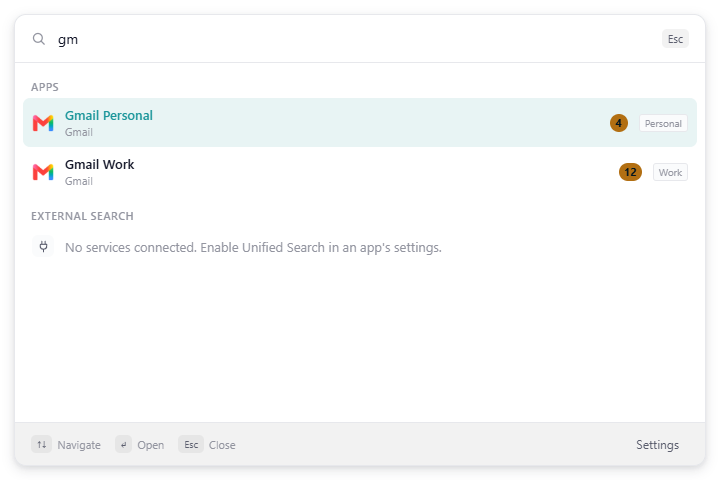
The new Command Center gives you instant access to your apps and common Rambox actions from a single search window.
Instead of scrolling through the sidebar, simply type what you’re looking for and jump straight to it. You can even access Command Center while Rambox runs in the background.
Unified Search: Find information across connected apps
Need to find an email, a Slack conversation, a document or a Jira issue, but can’t remember exactly where it was?
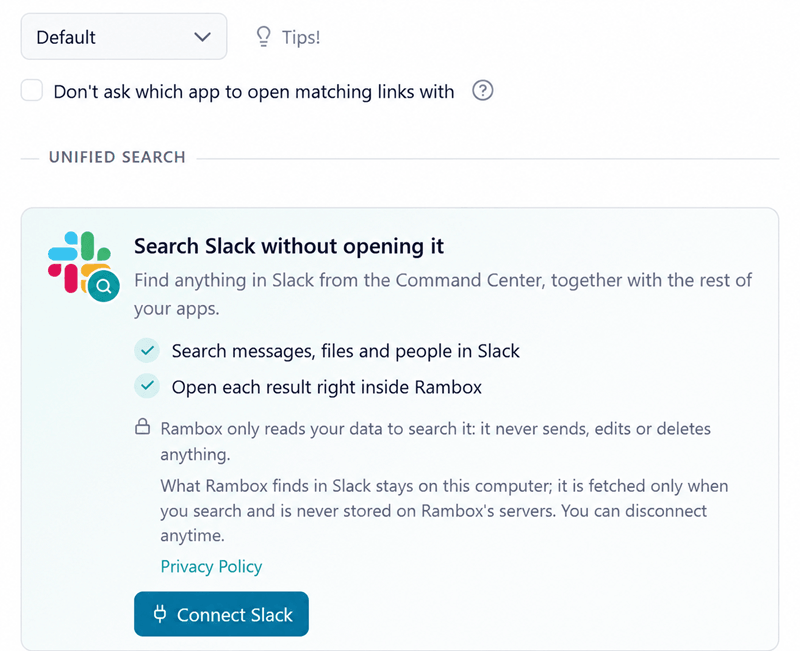
With Unified Search, you can search content across supported connected services directly from Command Center, without repeating the same search in each app.
Unified Search works with separately connected, supported services. Search coverage varies by service, and we’re planning to expand integrations over time.
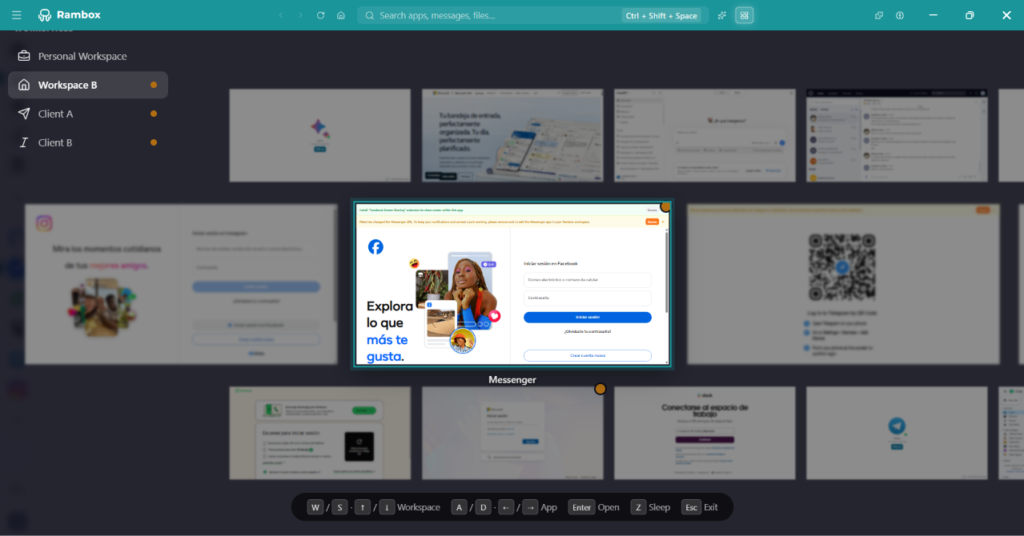
Quick View: All your apps at a glance
Sometimes it’s easier to recognize a window than remember its name.
Quick View gives you a visual overview of your apps so you can see what’s open and jump directly to the right one.
Three complementary tools, one goal: spend less time looking for things and more time working.
3. Keep your work context with improved tabs and navigation
Switching between apps is only part of the challenge. Even navigating within one app can interrupt what you’re doing.
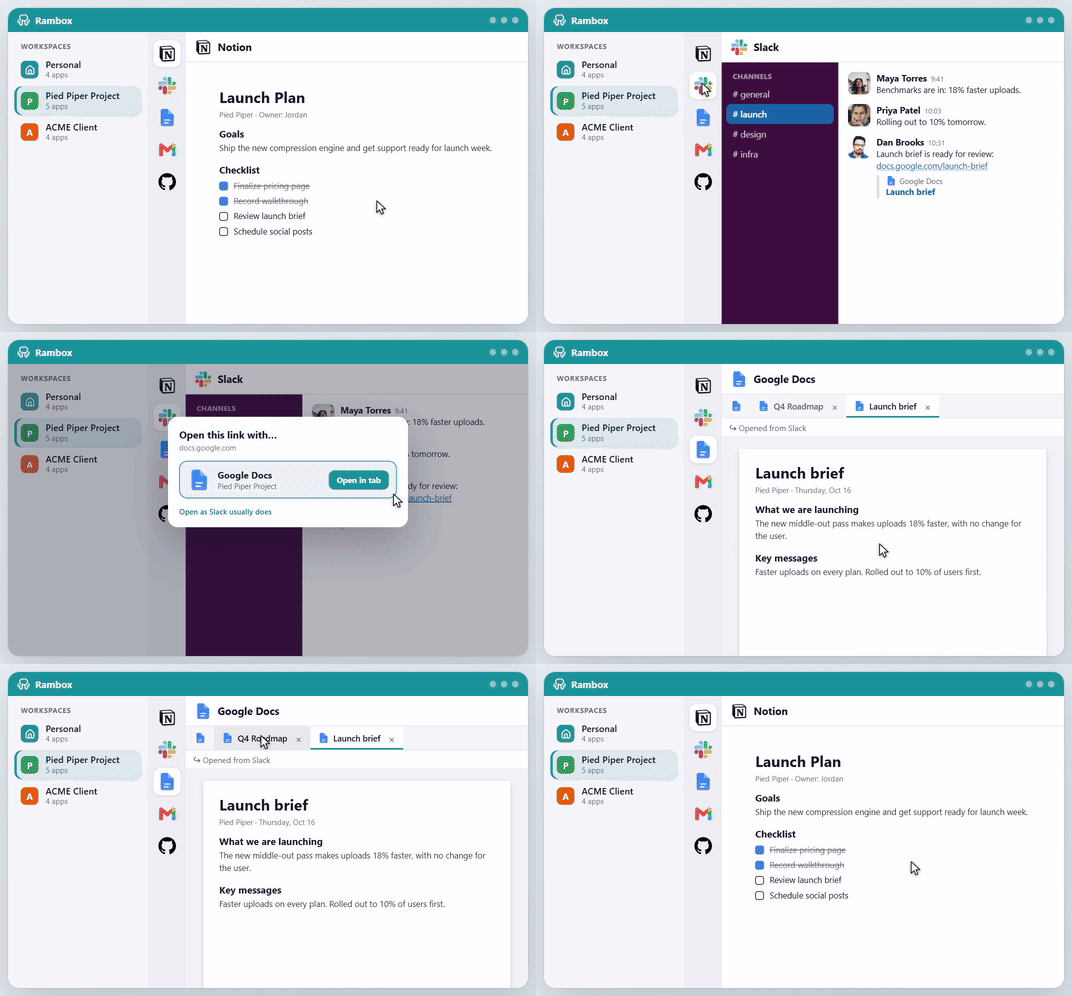
Rambox 3 introduces internal tabs, allowing supported links to open alongside the original page within an app.
You can check the linked information and return to what you were doing without retracing several navigation steps.
We’ve also improved how tabs and navigation behave when apps are hibernated, making it easier to return to the pages you were using and continue your workflow.
Your apps stay organized, and it’s easier to pick up where you left off.
4. Stay focused with the new Concentration Panel
Productivity isn’t only about moving faster. Sometimes it’s about reducing distractions and staying focused on one thing.
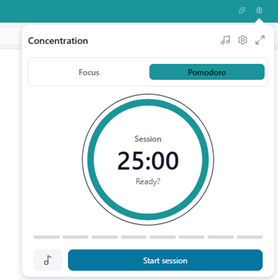
Rambox 3 brings together several productivity tools in the new Concentration Panel:
- Focus Mode: Silence distractions when you need uninterrupted time to work.
- Pomodoro: Organize your day into focused work sessions and breaks.
- Ambient Sounds: Create a more comfortable environment with background sounds that help you concentrate.
Whether you’re writing, coding, planning or tackling a demanding project, you can create a working environment that suits the moment — without constantly jumping between separate productivity tools.
5. Your AI tools, right where you work
AI assistants are increasingly part of daily workflows, but moving between an app and a separate AI chat creates another interruption.
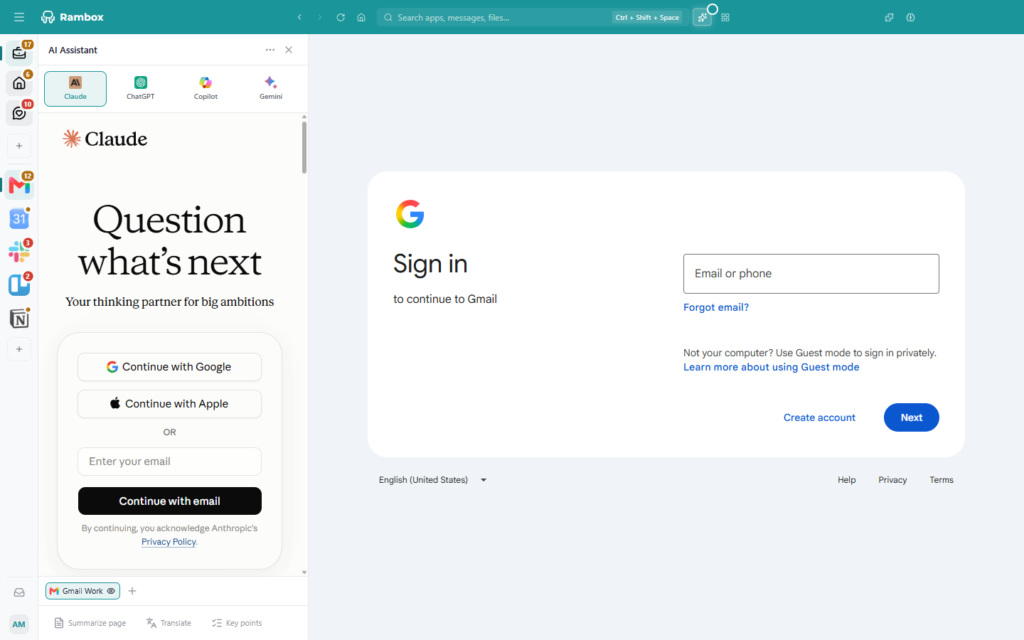
Rambox 3 introduces an AI Assistant side panel, bringing tools such as ChatGPT, Claude, Gemini and Copilot alongside your work apps, using your own account with each provider.
Rambox doesn’t provide its own AI model. Instead, it lets you connect and use your preferred AI assistants with your own accounts.
You can keep an assistant open while you work and, when you choose, include selected app content as context for a question.
Rambox doesn’t automatically share everything across your accounts: you decide what context to provide.
6. Getting started with Rambox is easier than ever
A powerful workspace manager should also be easy to understand and set up.
That’s why we’ve completely redesigned onboarding in Rambox 3.
The new guided setup makes it easier to discover apps, personalize Rambox and build your first workspace.
Guided tours and contextual hints introduce the interface and its features as you explore.
Guided introductions also help existing users discover the redesigned navigation and tools.
The result is a smoother learning experience, whether you’re joining for the first time or returning to explore the new interface.
7. And we’re not stopping here
Rambox 3 is a major step forward, but we’re already working on what comes next. We’ll keep refining the experience, introducing new capabilities and exploring ways to make your daily work even easier.
One example is MCP (Model Context Protocol) support, already included in Rambox 3, which opens up new possibilities for connecting compatible AI assistants with Rambox.
And there’s more to come.
Improvements beyond the desktop app
Rambox 3 isn’t just a desktop redesign. We’ve also improved the experience around the app.
A redesigned website
We’ve given our website a fresh look, with clearer explanations, improved navigation and an easier way to discover what Rambox can do for you.
A new sign-in experience
Rambox now uses a browser-based authentication process to simplify signing in.
A new web console
Users and teams now have a web console for managing their accounts, subscriptions and billing.
Together, these improvements create a more consistent experience, from discovering Rambox to getting started and managing your account.
A new experience, the Rambox you already love
Despite all these changes, what makes Rambox useful remains the same.
You can still organize your work into Workspaces, manage multiple accounts, receive notifications, customize apps and keep the tools you rely on together in one place.
Rambox 3 builds on that foundation, making it easier to navigate, find information, maintain your work context and stay focused throughout the day.
It’s the same idea behind Rambox, redesigned around the way people work today.
Ready to experience Rambox 3?
We’ve put a lot of work into making Rambox simpler, faster and more intuitive, and we’re excited for you to experience the changes.
Whether you’ve been using Rambox for years or you’re discovering it for the first time, there’s never been a better moment to give it a try.
Less friction. More focus. A whole new Rambox experience.
Try Rambox free for 30 days. No credit card required.