


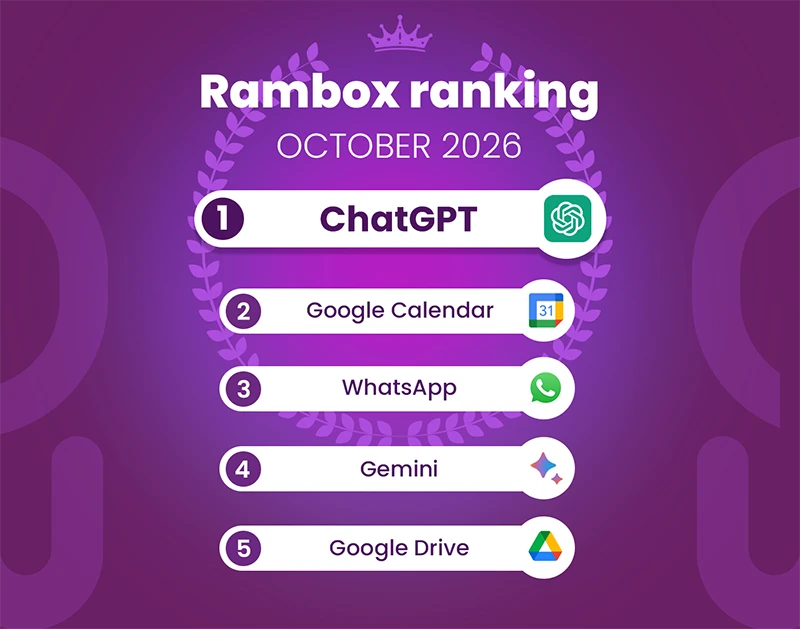
October brought a few changes to the Rambox Ranking, although many of the most-used apps kept their positions from September.
ChatGPT and Google Calendar remain at the top, with almost identical figures, while WhatsApp moves into third place. Further down the list, several productivity and communication apps exchange positions, and Google Docs returns to the top 15.
Here’s how the Rambox Ranking looks for October 2026.
October 2026: Most-used apps on Rambox
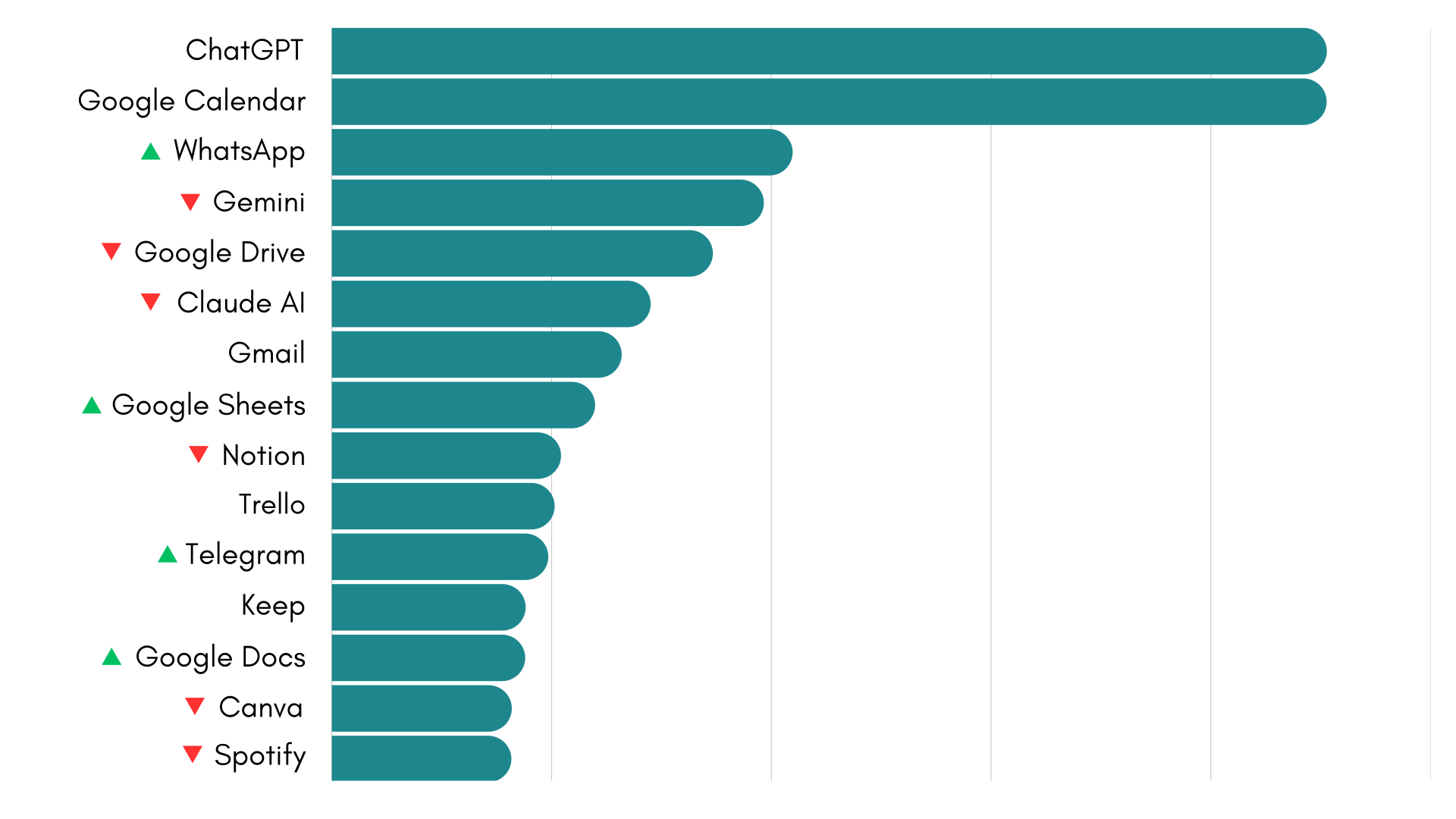
Here’s how the most-used apps on Rambox ranked in October 2026, based on aggregated usage data from the month.
You can also explore the full Rambox Ranking and previous months.
ChatGPT holds on to first place, narrowly ahead of Google Calendar. WhatsApp takes third place, followed by Gemini, Google Drive and Claude AI.
The rest of the top 10 includes Gmail, Google Sheets, Notion and Trello, while Telegram, Google Keep, Google Docs, Canva and Spotify complete October’s top 15.
How did the Rambox Ranking change in October?
The first two positions remain unchanged, with ChatGPT and Google Calendar continuing to lead the ranking.
The most noticeable movement is WhatsApp’s move from sixth to third place, ahead of Gemini, Google Drive and Claude AI. All three remain among the six most-used apps on Rambox.
Further down, Google Sheets moves up one place to eighth, exchanging positions with Notion. Telegram also moves up, from thirteenth to eleventh, while Gmail and Trello retain their positions.
At the bottom of the ranking, Google Docs returns to the top 15 in thirteenth place, after finishing sixteenth in September. Canva moves down to fourteenth, Spotify slips to fifteenth, and Google Translate drops out of the top 15.
Overall, October’s ranking continues to feature a familiar mix of AI assistants, communication platforms and productivity tools, with a few changes in their relative positions.
Bringing all these tools together
This month’s ranking reflects the variety of applications people bring into their daily workflows, from AI assistants and messaging services to calendars, documents and project management tools.
With so many apps and accounts involved, keeping everything organized can become a challenge. Rambox helps you bring them together in one place, organize them into dedicated workspaces and switch between different tasks and contexts without constantly juggling browser tabs and windows.
With the launch of Rambox 3, managing your apps and workspaces is now even more intuitive, thanks to a redesigned interface and new ways to navigate your workspace.
How to add these apps on Rambox
Ready to bring these apps together? Setting them up in Rambox only takes a few seconds:
- Click on the “Add an app or workspace” button in your main tab or workspace.
- Type the name of the app you want to add in the search panel at the left.
- Configure the application settings to your liking. Remember that you can choose which profile you want to use in the app (inherit from workspace, primary, private, incognito, or a custom profile).
- Click on “+Add,” and that’s it! The app has been added to your Rambox workspace!
Want to see how to add apps in Rambox in action? This short step-by-step video shows you how to set it up:
If you want to stay more focused and reduce the chaos of tabs and multiple accounts, try Rambox free for 30 days, with no credit card required, and start working in a more organized way in just a few minutes.