


Every month, we look at the most used apps based on real activity inside Rambox.
This ranking shows which tools are being used the most and how different types of apps shape daily workflows. You can also explore the full ranking and previous months here.
Below, you’ll find this month’s top apps, followed by a breakdown of the most relevant changes and patterns.
Most-used apps on Rambox in June 2026
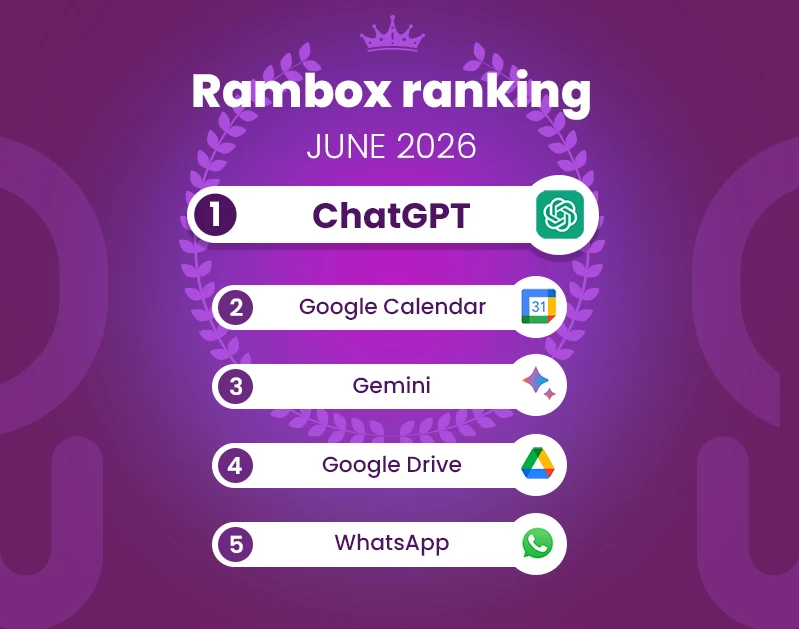
Below is the list of the most used apps on Rambox in June 2026. The ranking is based on aggregated usage data and reflects which apps are being used the most.
How has the Rambox Ranking changed this month?
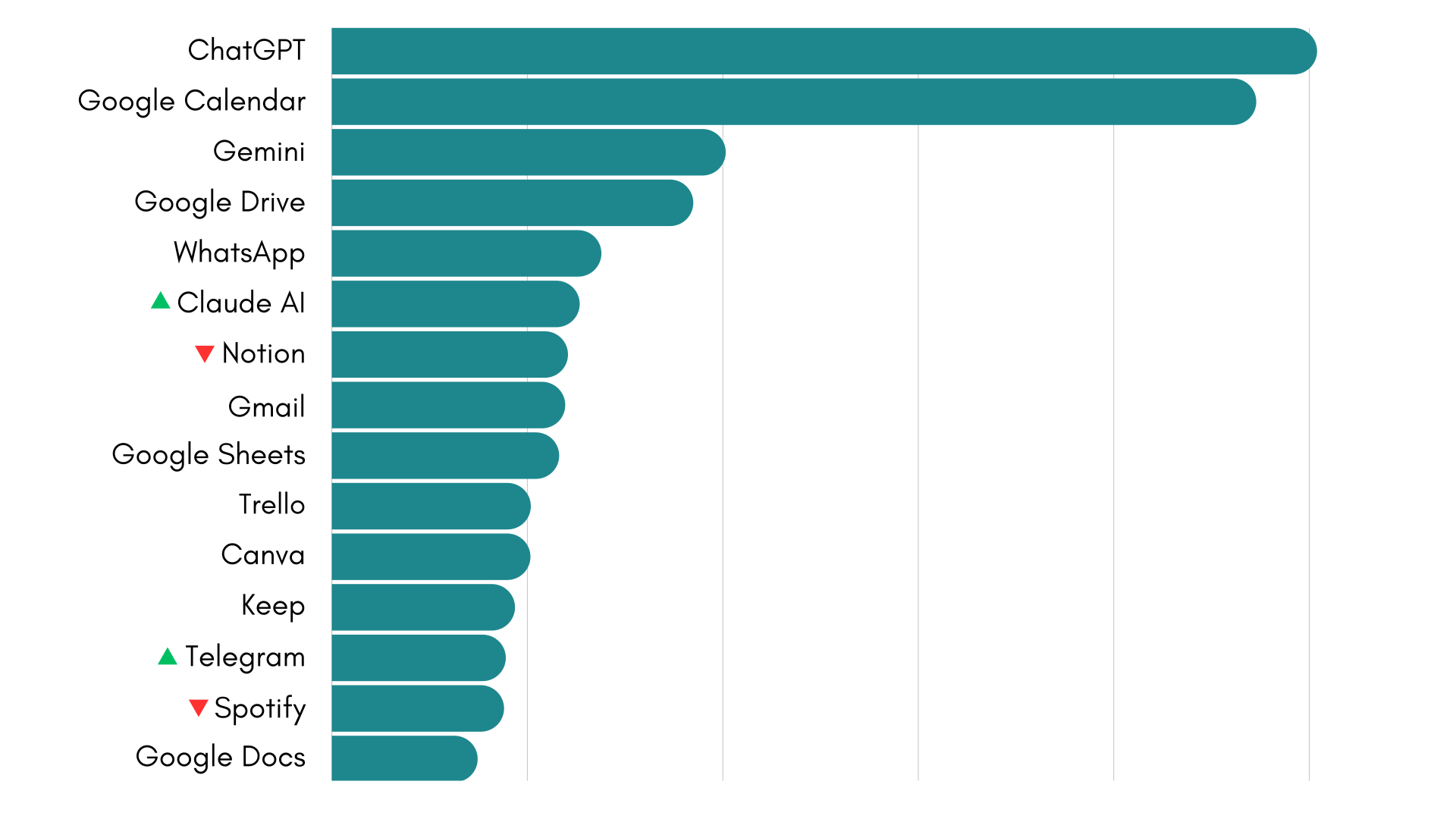
Compared to May, June’s ranking remains remarkably stable. The top five positions remain unchanged, with ChatGPT, Google Calendar, Gemini, Google Drive and WhatsApp continuing to lead the list.
The most notable movement this month comes from Claude AI, which climbs another position to become the sixth most-used app on Rambox, overtaking Notion. During some periods of the month, Claude even briefly surpassed WhatsApp, highlighting its continued momentum over recent months.
Outside the top positions, changes are minimal. Spotify moves ahead of Telegram, while most of the remaining apps keep almost exactly the same relative positions as in May.
This stability suggests that the ranking is entering a more mature phase. Rather than seeing major month-to-month shifts, the apps occupying the top positions are becoming increasingly consolidated, with smaller movements between closely matched tools.
AI continues to strengthen its position
If there is one category that continues to evolve month after month, it is AI.
ChatGPT remains the most-used app on Rambox, Gemini holds third place, and Claude AI continues its steady rise to become the sixth most-used application on the platform. That means three of the six most-used apps on Rambox are now AI assistants, underlining how deeply these tools have become integrated into everyday work.
The AI ecosystem represented in the ranking also continues to expand. Perplexity remains just outside the top 20, while DeepSeek, Microsoft Copilot and NotebookLM all maintain a solid presence within the top 100.
This month also marks the first appearance of Le Chat, the AI assistant developed by French company Mistral AI. Although it debuts near the bottom of the top 100, it is one of only two new entries in the entire ranking, reinforcing the growing diversity of AI tools represented on Rambox.
Just a couple of years ago, AI assistants were almost entirely absent from this type of ranking. Today, they occupy some of its highest positions while an increasing number of specialized alternatives continue to gain visibility alongside the established leaders.
Bringing all these tools together
This month’s ranking reflects a mix of different types of tools, from AI and communication apps to planning, collaboration and cloud-based work tools.
As this mix continues to grow, managing multiple tools, accounts and contexts becomes increasingly complex. Rambox brings all these apps together in one place, helping you organize them into different workspaces, manage multiple accounts and reduce the need to switch between tabs or windows.
If you want to explore everything Rambox can do and learn how to get the most out of it, don’t miss our video series with practical tips and real use cases:
How to add these apps on Rambox
Ready to bring these apps together? Setting them up in Rambox only takes a few seconds:
- Click on the “Add an app or workspace” button in your main tab or workspace.
- Type the name of the app you want to add in the search panel at the left.
- Configure the application settings to your liking. Remember that you can choose which profile you want to use in the app (inherit from workspace, primary, private, incognito, or a custom profile).
- Click on “+Add,” and that’s it! The app has been added to your Rambox’s workspace!
Want to see how to add apps in Rambox in action? This short step-by-step video shows you how to set it up:
If you want to stay more focused and reduce the chaos of tabs and multiple accounts, try Rambox free for 30 days, with no credit card required, and start working in a more organized way in just a few minutes.