Every month, we look at the most used apps based on real activity inside Rambox.
This ranking shows which tools are being used the most and how communication, AI, planning and productivity apps fit into everyday workflows. You can also explore the full ranking and previous months here.
Below, you’ll find July’s most-used apps, followed by the changes and patterns that stood out this month.
Most-used apps on Rambox in July 2026
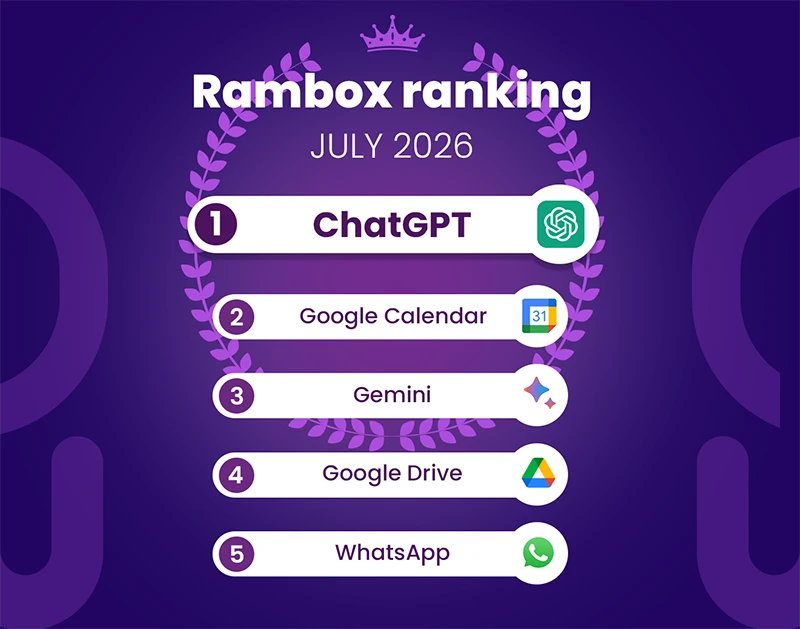
Below is the list of the most used apps on Rambox in July 2026. The ranking is based on aggregated usage data and reflects how many users accessed each app during the month.
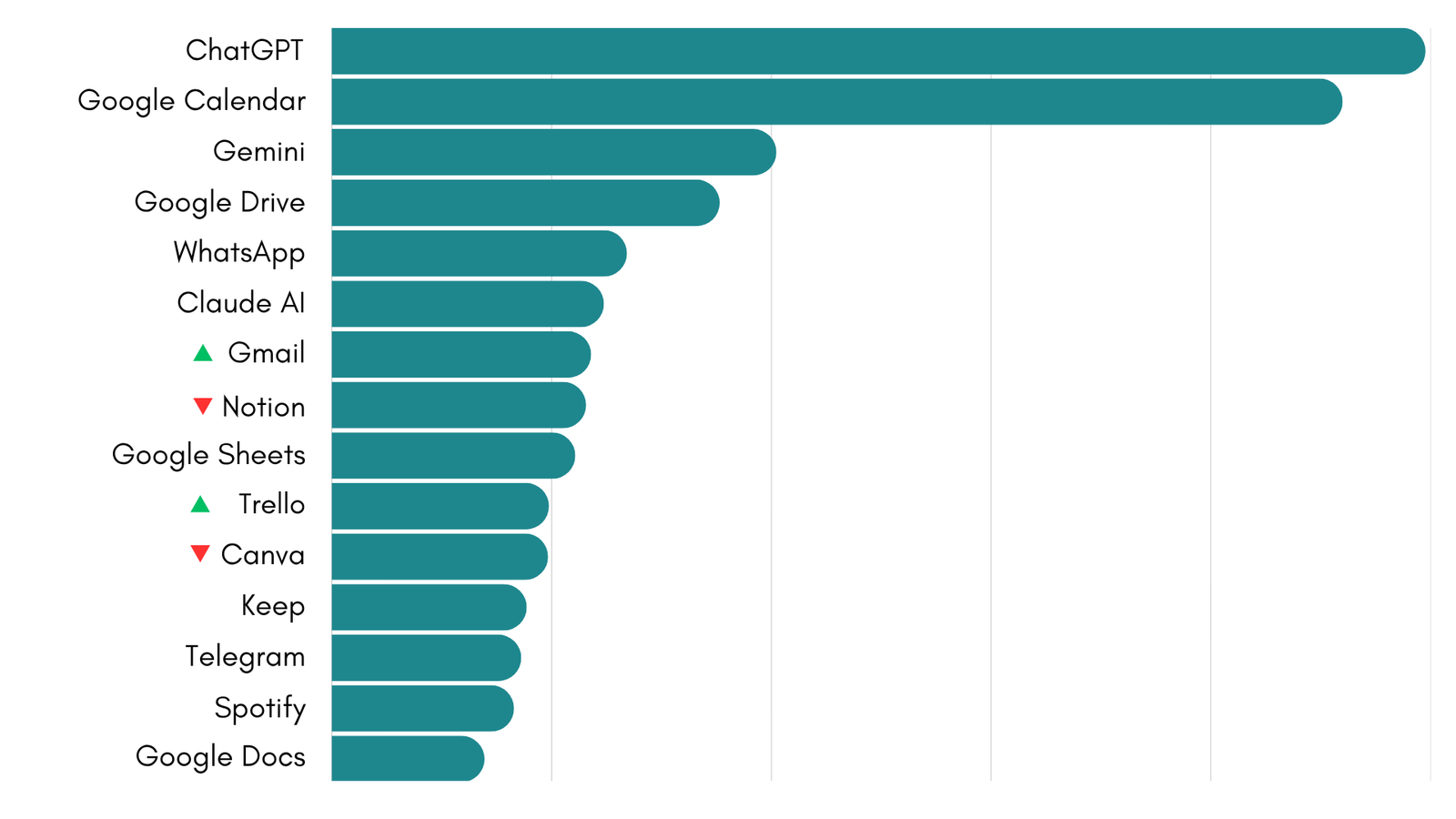
July at a glance
- The top six apps did not change, confirming how stable Rambox users’ core workflows remain.
- Only two ranking changes occurred: Gmail moved ahead of Notion, while Trello narrowly overtook Canva.
- Three of the six most-used apps are AI assistants, while Google places five products inside the top 10.
The most interesting takeaway is not a sudden breakout, but which tools continue to hold a central place in users’ daily workflows.
How did the Rambox Ranking change in July?
July’s ranking remains remarkably stable.
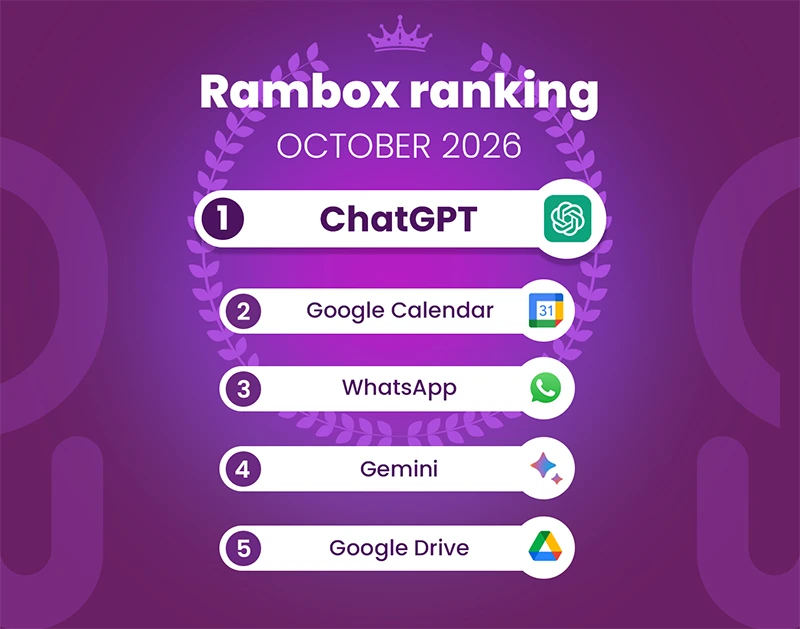
The first six positions are unchanged from June. ChatGPT continues to lead, followed by Google Calendar, Gemini, Google Drive, WhatsApp and Claude AI. In fact, only two pairs of apps exchanged positions across the entire ranking. Notion drops to eighth place, leaving Gmail in seventh, while Trello narrowly overtakes Canva to enter the top 10.
Every other app keeps the same relative position as the previous month.
The most notable detail is how little the order changed. ChatGPT’s lead over Google Calendar widened slightly, while the rest of the top six stayed in the same positions. Rather than producing a sudden breakout, July confirms which apps have become part of Rambox users’ regular working setup.
AI remains firmly established at the top
AI assistants continue to hold some of the strongest positions in the ranking. ChatGPT remains the most-used app on Rambox, while Gemini holds third place and Claude AI remains sixth. Together, they account for three of the top six apps.
Their month-to-month performance was also notably stable, suggesting that AI tools are becoming part of regular workflows rather than being used only for occasional tasks.
Beyond the top 15, Perplexity ranks seventeenth. Its presence alongside ChatGPT, Gemini and Claude AI points to another trend: Rambox users are not relying on a single AI provider. Instead, different assistants are increasingly being used side by side as part of the same daily toolkit.
Gmail and Trello move up
The month’s only ranking changes happen between apps with very similar numbers. Moving up does not necessarily mean gaining users; it means finishing July ahead of the closest competing app. Gmail moves from eighth to seventh place, overtaking Notion. Meaning that both apps remain closely matched.
A similar change happens between Trello and Canva. Trello takes tenth place ahead of Canva. These small shifts reinforce the overall stability of the ranking. Rather than dramatic changes, July shows close competition between tools that serve different parts of the same workflow: communication and knowledge management in the case of Gmail and Notion, and project organization and content creation in the case of Trello and Canva.
Google’s productivity ecosystem stays central
Google continues to have the broadest presence across the ranking, as Google Calendar remains the second-most-used app, while Gemini and Google Drive take third and fourth place. Gmail and Google Sheets also appear inside the top 10.
Further down, Keep, Google Docs and Google Translate continue to attract regular use. Showing how work is often spread across several connected tools rather than completed inside a single application. A user might move from a meeting in Calendar to files in Drive, messages in Gmail, data in Sheets and notes in Keep, while also using an AI assistant or communication platform alongside them.
Communication remains part of the core workflow
WhatsApp keeps the fifth place, making it the highest-ranked messaging app in July.
Telegram remains thirteenth, while Gmail moves into seventh place. Together, they show that communication tools are still central to how Rambox users organize their work, even as AI and productivity platforms occupy more of the ranking.
The mix also reflects that professional communication no longer happens in a single channel. Teams and independent professionals may need email, instant messaging, community platforms and client conversations open at the same time.
Bringing all these tools together
This month’s ranking reflects a mix of different types of tools, from AI and communication apps to planning, collaboration and cloud-based work tools.
As this mix continues to grow, managing multiple tools, accounts and contexts becomes increasingly complex. Rambox brings all these apps together in one place, helping you organize them into different workspaces, manage multiple accounts and reduce the need to switch between tabs or windows.
If you want to explore everything Rambox can do and learn how to get the most out of it, don’t miss our video series with practical tips and real use cases:
How to add these apps on Rambox
Ready to bring these apps together? Setting them up in Rambox only takes a few seconds:
- Click on the “Add an app or workspace” button in your main tab or workspace.
- Type the name of the app you want to add in the search panel at the left.
- Configure the application settings to your liking. Remember that you can choose which profile you want to use in the app (inherit from workspace, primary, private, incognito, or a custom profile).
- Click on “+Add,” and that’s it! The app has been added to your Rambox’s workspace!
Want to see how to add apps in Rambox in action? This short step-by-step video shows you how to set it up:
If you want to stay more focused and reduce the chaos of tabs and multiple accounts, try Rambox free for 30 days, with no credit card required, and start working in a more organized way in just a few minutes.