
Last Updated: September 14, 2026
Evernote and OneNote remain two of the best-known note-taking apps, but they have evolved in very different directions. Evernote has undergone major changes in 2026, including a redesigned v11 experience, new AI features, and a new Free, Starter, and Advanced plan structure. OneNote continues to focus on flexible note-taking and deep integration with Microsoft 365.
That makes the Evernote vs OneNote comparison less about finding one universal winner and more about understanding which approach fits the way you capture, organize, search, and use information.
Here is a quick look at their biggest differences in 2026.
| Category | Evernote | OneNote | Best fit |
| Note-taking style | Structured notes, notebooks, tags, tasks, and templates | Free-form pages with flexible text, drawing, and positioning | Depends – Evernote for structure, OneNote for flexibility |
| Organization | Notebooks, tags, Spaces, advanced search, and Semantic Search | Notebooks, sections, pages, and tags | Evernote – stronger structured organization and search |
| Microsoft integration | Works with Microsoft Outlook and other external tools | Deep integration with Microsoft 365, Outlook, Teams, and OneDrive | OneNote |
| AI | AI Assistant, Semantic Search, AI Meeting Notes, AI Edit, and more | Copilot features depending on your Microsoft 365 account and license | Depends – different AI approaches and licensing models |
| Free plan | 50 notes, 1 notebook, 1 device, 1 GB storage | Core OneNote features with 5 GB of free Microsoft cloud storage | OneNote – fewer restrictions for general note-taking |
| Collaboration | Shared notes, notebooks, Spaces, and permissions | Shared notebooks and real-time collaboration | Depends – both support collaborative workflows |
| Best for | Structured knowledge management, search, and organized workflows | Flexible note-taking and Microsoft-centered workflows | Depends on how you work |
What’s the main difference between Evernote and OneNote?
Evernote and OneNote share the same basic goal: helping you capture, organize, and retrieve information. But the way they approach that goal is very different.
Evernote is built around structure. Notes live inside notebooks and can be organized further with tags, Spaces, tasks, calendar information, and search tools. Evernote v11 also adds AI-powered ways to find and work with information, including Semantic Search and AI Assistant.
OneNote focuses more on flexibility. Each page behaves more like an open canvas. You can click almost anywhere to type, move content around the page, draw, insert images, create lists, and arrange information visually.
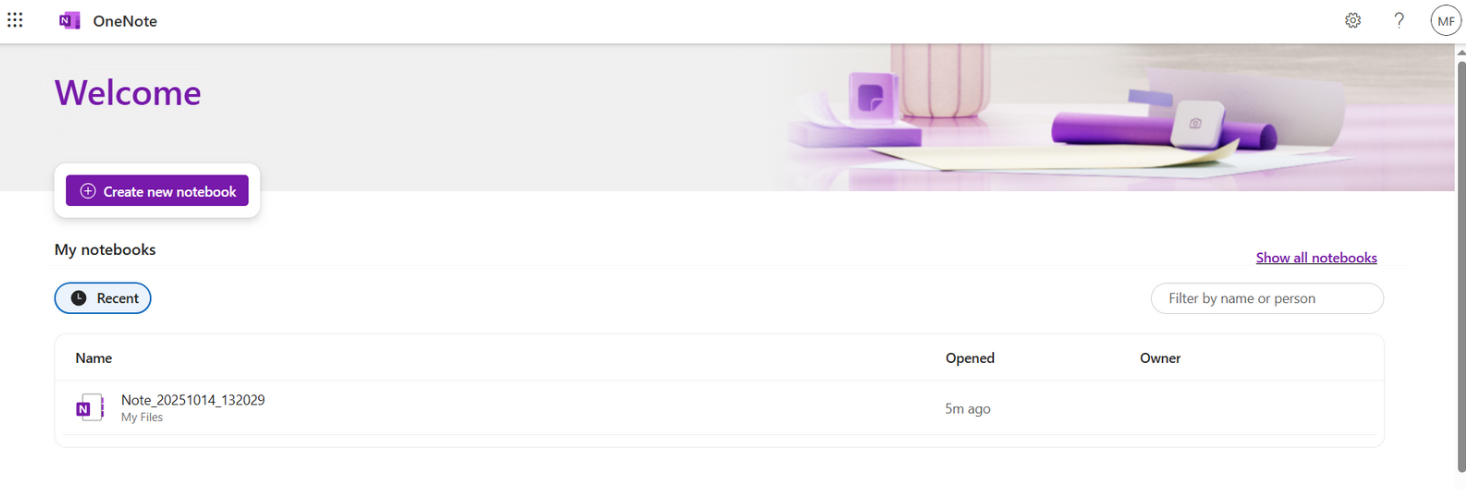
✔️ Evernote makes more sense if you prefer a structured system for organizing information. OneNote is a better fit if you prefer a flexible canvas where you decide how information should be arranged.
Which app offers a better note-taking experience?
Both apps cover the essentials well, including text, images, lists, links, and rich note content. The real difference is how much structure each application gives you.
Evernote provides a more guided note-taking environment. Notes can be connected to notebooks, tags, tasks, calendar events, files, and other organizational elements. This makes it easier to maintain consistency when you manage a large collection of information.
OneNote gives you much more freedom over the page itself. You can type or draw in different areas of a page and organize notebooks into sections and pages, which can feel more natural for brainstorming, visual note-taking, lectures, or handwritten ideas.
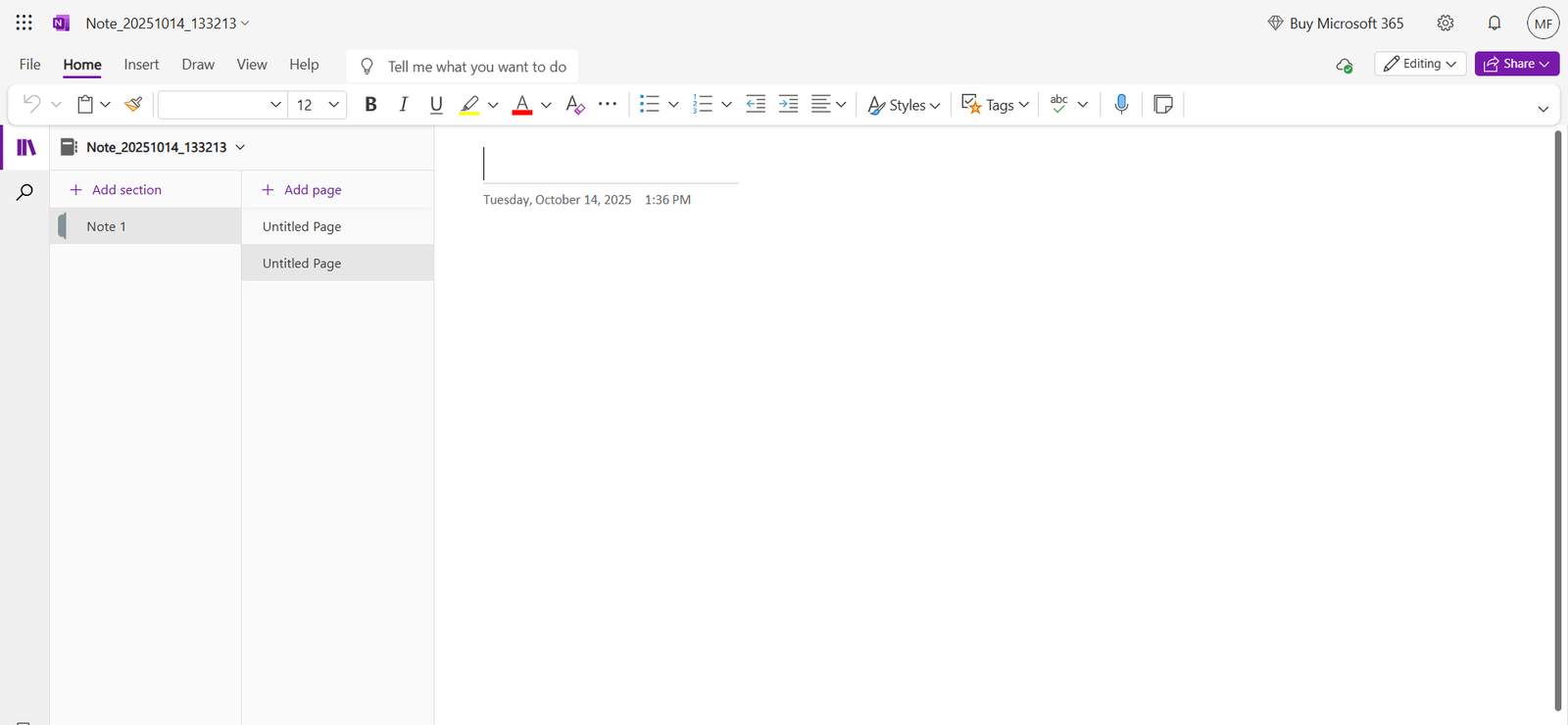
✔️ If you like structured notes and consistent organization, Evernote may feel more natural. If you prefer creative freedom and visual layouts, OneNote has the advantage.
Which app is easier for organizing your ideas?
Organization remains one of Evernote’s strongest areas.
Evernote combines notebooks, Spaces, tags, tasks, advanced search, and AI-powered search tools. In Evernote v11, Semantic Search can find related notes based on meaning rather than exact keywords, including information indexed from attachments and images.
OneNote follows a more traditional notebook model using notebooks, sections, and pages. This is intuitive and visual, especially if you already think of your notes as digital binders. However, its organization system is less centered around tags and structured knowledge retrieval than Evernote’s.
✔️ If your priority is building a searchable and structured knowledge base, Evernote has the edge. OneNote remains very effective if you prefer organizing information through notebooks, sections, and pages.
How do Evernote and OneNote compare in design and usability?
Both applications are mature productivity tools, but they follow different design philosophies.
Evernote v11 introduced an updated visual experience and continues to place notes, tasks, files, calendars, notebooks, tags, and Spaces inside a structured navigation system.
OneNote has a denser interface, but that reflects its flexible notebook model. The page itself gives you a large workspace where you can type, draw, move elements, and arrange information with fewer structural constraints.
✔️ The choice is largely personal: Evernote favors structure and guided organization, while OneNote favors flexibility and visual freedom.
Which one integrates better with your workflow?
OneNote has a clear advantage if your work already revolves around Microsoft 365. It connects naturally with Microsoft’s broader ecosystem, and your notebooks are stored through OneDrive.
Evernote is less tied to a single productivity ecosystem. Its current integrations include Google services such as Gmail, Drive, and Calendar, Microsoft Outlook, and Slack. Its Web Clipper also remains one of its most useful tools for saving online research directly into notes.
✔️ If you already use Microsoft 365 heavily, OneNote is the more natural choice. Evernote can make more sense if your workflow combines tools from different ecosystems.
What about collaboration and sharing?
Both apps support collaboration, but their organizational models affect how that collaboration feels.
Evernote supports sharing notes and notebooks and also uses Spaces to group related content for collaborative workflows. Permissions help control how other people interact with shared information.
OneNote is especially well suited to shared notebooks. Multiple users can work inside a notebook and collaborate on pages, which works well for shared meeting notes, project information, research, and brainstorming.
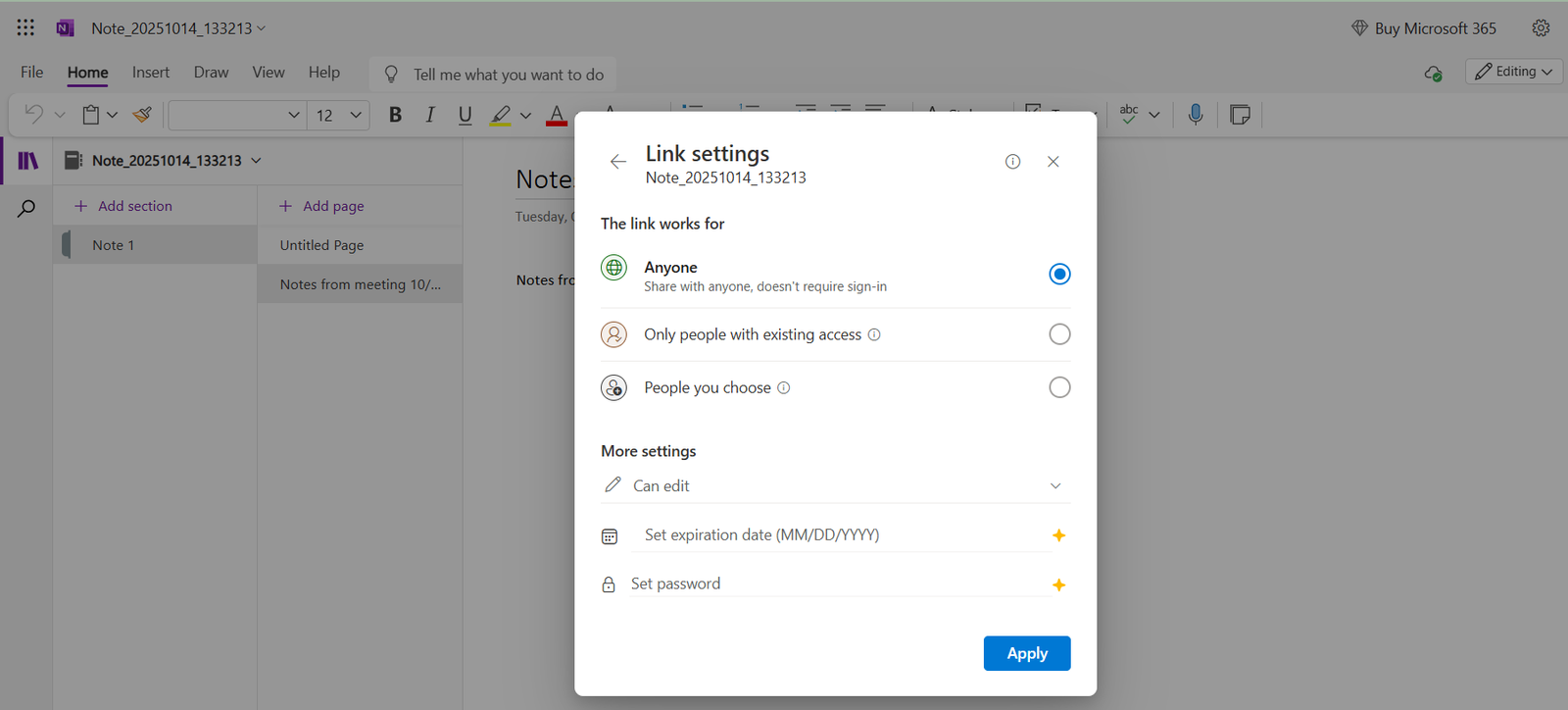
✔️ There is no clear universal winner here. Evernote provides structured sharing and Spaces, while OneNote fits naturally into collaborative Microsoft workflows.
Which app offers more powerful tools and features?
Evernote and OneNote both go far beyond basic text notes, but their strongest features are different.
| Feature | Evernote | OneNote | Best fit |
| Web capture | Evernote Web Clipper saves articles, pages, screenshots, and selected content directly to Evernote. | OneNote supports saving and inserting web information, but web clipping is less central to the product. |  Evernote Evernote |
| Search | Advanced search plus Semantic Search across notes and supported attachments. | Search across notebooks, sections, pages, and note content. | Evernote for knowledge retrieval |
| Free-form note layout | Primarily structured note pages. | Flexible canvas with movable note containers and drawing tools. | OneNote |
| Integrations | Google services, Microsoft Outlook, Slack, Web Clipper, and other workflows. | Deep integration with Microsoft 365 and OneDrive. | Depends on your ecosystem |
| AI | AI Assistant, Semantic Search, AI Meeting Notes, AI Edit, AI Cleanup, and MCP support. | Copilot capabilities in OneNote for eligible Microsoft 365 subscriptions and licenses. | Depends on your needs and subscription |
| Organization | Notebooks, Spaces, tags, tasks, and advanced search. | Notebooks, sections, pages, and tags. | Evernote for highly structured workflows |
Which app has the strongest AI features in 2026?
This is one of the areas where the comparison has changed most since 2025.
Evernote v11 introduced three major AI features:
- AI Assistant: a dedicated chat for searching, organizing, creating, and working with information from your Evernote account.
- Semantic Search: finds relevant notes based on meaning rather than requiring exact keyword matches.
- AI Meeting Notes: records, transcribes, and summarizes meetings and conversations.
Evernote also lists AI Edit, AI Cleanup, and the ability to connect Evernote content to compatible AI tools through MCP. Evernote states that its main v11 AI features are available to all users, although usage limits can apply.
OneNote uses Microsoft Copilot. Depending on your Microsoft account, Microsoft 365 subscription, work or school license, and organization settings, Copilot can help summarize notes, rewrite content, create plans, brainstorm ideas, and work with information from the Microsoft ecosystem.
For personal accounts, Copilot is available with eligible Microsoft 365 Personal, Family, Premium, and Pro subscriptions. In work and education environments, access depends on the license assigned by the organization.
✔️ There is no simple AI winner. Evernote’s AI is tightly focused on your notes and knowledge base, while OneNote benefits from Copilot’s connection to the broader Microsoft 365 ecosystem.
Which performs better across devices?
Both Evernote and OneNote are available across major desktop, mobile, and web platforms, but their free-tier limits are very different.
Evernote Free currently syncs with one device. Evernote Starter supports up to three devices, while Advanced supports unlimited device syncing, subject to safeguard limits.
OneNote stores notebooks in Microsoft’s cloud environment and is designed to make them accessible across supported devices. A free Microsoft account currently includes 5 GB of cloud storage shared across OneDrive and other Microsoft cloud services.
✔️ If free access across several devices is important, OneNote is generally the more practical option. Evernote’s multi-device experience becomes more flexible on its paid tiers.
Is OneNote still the better free option?
For many users, yes. The difference between the two free tiers is now substantial.
Evernote Free currently includes:
- Up to 50 notes.
- 1 notebook.
- Up to 20 tags.
- Up to 200 attachments.
- Sync on 1 device.
- 1 GB of total storage.
- A 250 MB monthly upload limit.
Evernote’s current individual paid tiers are Starter and Advanced. Starter raises the limits to 1,000 notes, 20 notebooks, 1,000 attachments, 3 devices, and 5 GB of storage. Advanced removes most of these practical limits, subject to safeguards designed to maintain service performance.
OneNote does not impose a comparable 50-note or one-notebook limit on its core free experience. A free Microsoft account includes 5 GB of Microsoft cloud storage, which is shared with OneDrive and other Microsoft services.
The important caveat is AI: Copilot inside OneNote depends on an eligible Microsoft 365 subscription or organizational license.
If Evernote’s free-plan limits do not fit the way you work, it may also be worth comparing other Evernote alternatives before deciding which note-taking app to use.
✔️ If you want a free note-taking system with fewer content restrictions, OneNote has the stronger value proposition. Evernote Free works better as an entry point into Evernote’s structured ecosystem.
Which one protects your data better?
Both companies use established security controls, so it is better to compare the measures they publish rather than declare one universally more private than the other.
Evernote uses TLS to protect data in transit and Google Cloud encryption at rest using AES-256. It also supports two-factor authentication and publishes specific information about how its AI features process user content.
OneNote relies on Microsoft’s cloud and account-security infrastructure, with notebooks stored through OneDrive. Microsoft also applies its own security, access-control, and organizational policies depending on the type of account being used.
✔️ Both provide strong security controls. Your decision should depend more on your account type, organizational requirements, privacy preferences, and broader software ecosystem than on a simple winner.
Which one fits you better? Use cases
- Choose Evernote if you want a structured knowledge system built around notebooks, tags, Spaces, tasks, advanced search, and AI tools focused directly on your saved information.
- Choose OneNote if you prefer flexible pages, drawing and visual note-taking, broad free access, or if your work already revolves around Microsoft 365 and OneDrive.
Final verdict: Evernote or OneNote. Which one wins in 2026?
After comparing Evernote and OneNote side by side, it’s clear there’s no single winner — the better choice depends on how you work and what you need from a note-taking app.
Evernote has become a more structured knowledge and productivity platform, particularly with v11, Semantic Search, AI Assistant, AI Meeting Notes, tasks, Spaces, and its broader information-management approach.
OneNote continues to offer excellent value and flexibility. Its open-canvas approach, Microsoft 365 integration, shared notebooks, and relatively unrestricted core note-taking experience make it especially attractive for Microsoft users, students, and visual note-takers.
✔️ The short version:
- Choose Evernote if you want structured organization, powerful search, and AI centered on your knowledge base.
- Choose OneNote if you want flexible note-taking, strong Microsoft integration, and a more generous free experience.
Bonus: Keep Evernote, OneNote, and your other work apps together
You do not necessarily have to choose only one note-taking app. Some workflows use Evernote for structured knowledge management and OneNote for collaborative or visual notes.
How you access those tools also matters. If you’re deciding between using them in the browser or installing dedicated software, our comparison of web apps vs desktop apps explains the main differences in flexibility, performance, offline access, and daily workflow.
With Rambox, you can keep your productivity tools together in one desktop interface, including note-taking apps, email, chat, project management, and other web applications.
For example, you can:
- Use Evernote and OneNote alongside your other work apps.
- Organize applications by project, client, or workflow.
- Control app notifications from a more centralized workspace.
Adding Evernote or OneNote to Rambox only takes a few steps:
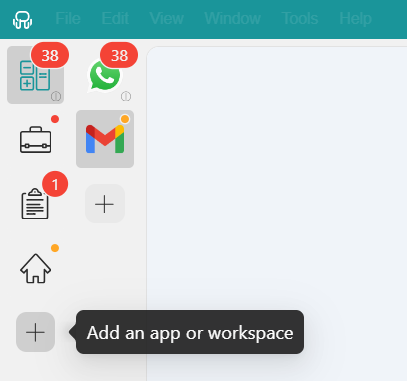
- Go to the Workspace where you want to add the app and click “+ Add an app or workspace.”
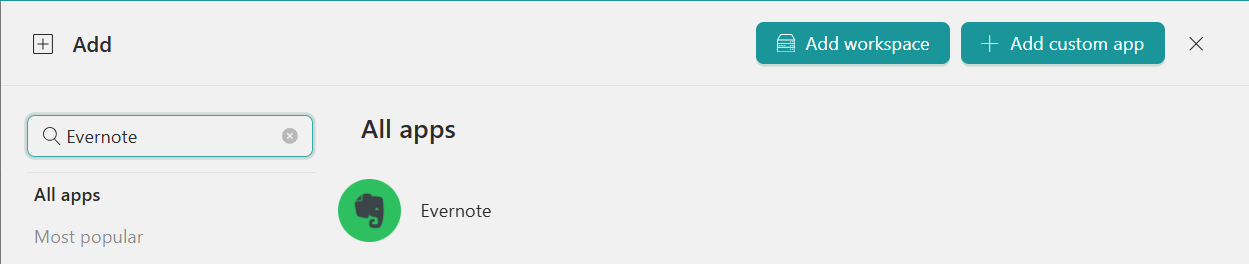
- Type “Evernote” or “OneNote” in the search panel and select the app.
- Configure the app settings according to your workflow, including sounds, notifications, and Profile settings.
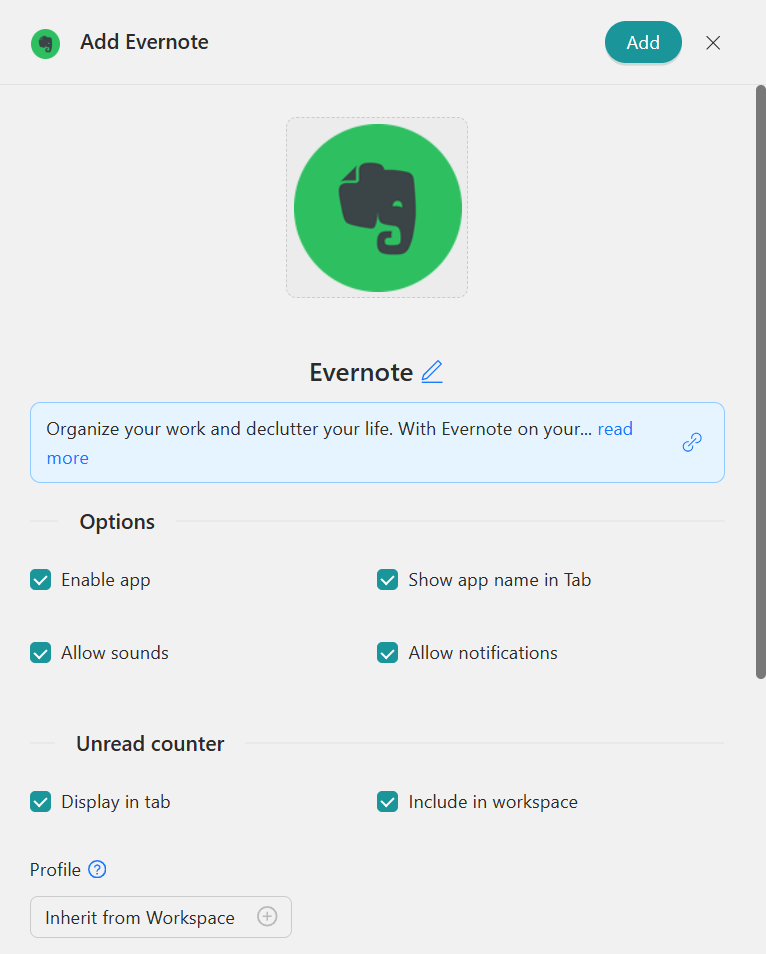
- Click “Add” to add the app to your Rambox Workspace.
If keeping your note-taking and productivity tools together fits your workflow, try Rambox for free, download the app, and organize your work apps in one place.