Last Updated: September 15, 2026
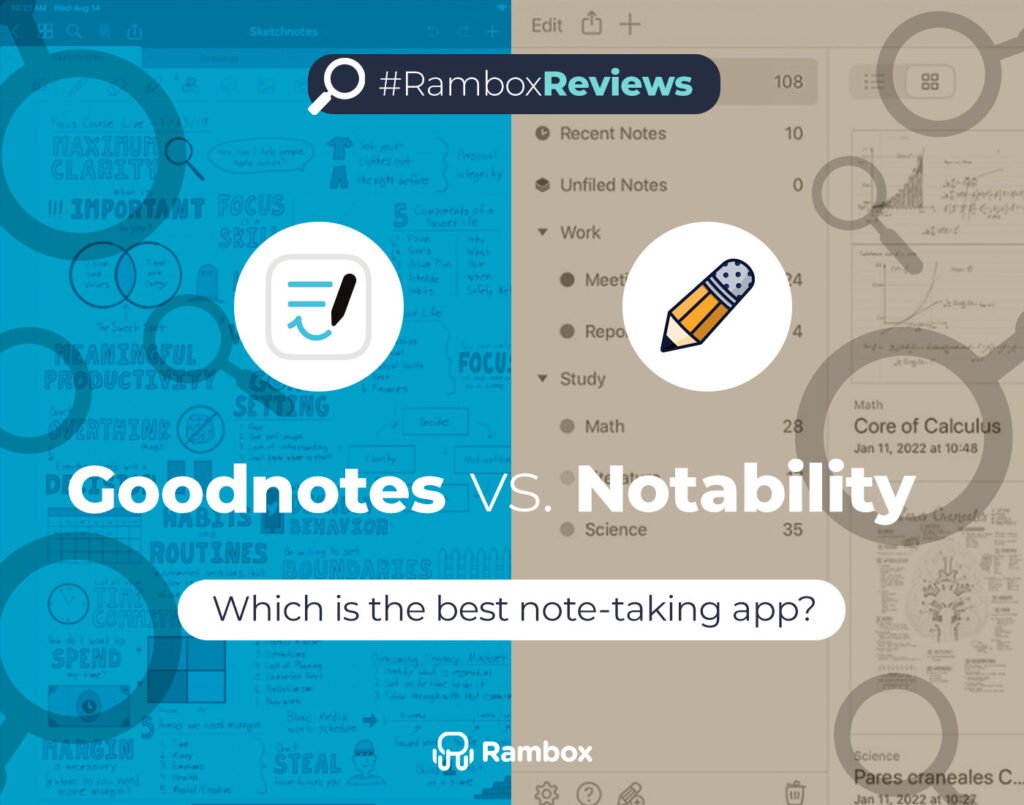
When it comes to digital note-taking, Goodnotes and Notability are two of the biggest names in the game. Both apps promise to replace traditional notebooks with smarter, more organized ways to capture ideas, documents, and projects.
If you’re working on a computer, choosing between them isn’t always simple. Each one takes a different approach to interface design, organization, AI, collaboration, and advanced features — and those differences can have a real impact on your daily workflow.
Both products have also changed considerably since 2025. Goodnotes introduced a new plan structure with Free, Special Edition, Essential, Pro, and AI Pass, while Notability expanded its plans, cross-platform support, cloud syncing, and live collaboration.
In this guide, we’ll help you cut through the noise and figure out which note-taking app is the better choice for you in 2026.
Goodnotes vs Notability: Key takeaways
Before diving into the details, here’s a quick snapshot of how Goodnotes and Notability stack up against each other in 2026.
| Feature | Goodnotes | Notability | Verdict |
| Free plan | ✓ Limited free plan | ✓ Starter: up to 5 notes | Tie |
| Subscription | Essential and Pro | Lite, Plus and Pro | Tie |
| One-time payment | ✓ Special Edition on Apple | ✓ Classic | Tie |
| Platforms | Apple, Android, Windows, Web | iOS, Android, Mac, Windows, Web | Tie |
| Unlimited note-taking | ✓ Paid plans | ✓ Lite, Classic, Plus and Pro | Tie |
| Community gallery/templates | ✓ Templates and Marketplace | ✓ 20,000+ templates and Note Gallery | Tie |
| Tape tool | ✓ | ✓ | Tie |
| PDF annotation | ✓ | ✓ | Tie |
| Handwriting to text | ✓ Feature availability varies by platform | ✓ On eligible plans/platforms | Tie |
| Math conversion | ✓ Math AI and handwriting tools | ✓ Handwritten math to LaTeX on supported platforms | Tie |
| Audio recording | ✓ Limited on Free; unlimited on Essential and Pro | ✓ | Tie |
| Audio transcription | ✓ Features vary by plan and platform | ✓ On eligible plans | Tie |
| Presentation mode | ✓ | ✓ | Tie |
| Stickers | ✓ Elements and stickers | ✓ Including custom stickers | Tie |
| Flashcards | ✓ Study Sets and Smart Learn on supported platforms | ✓ AI-powered flashcards on eligible plans | Tie |
| Elements tool | ✓ | ✕ No direct equivalent | Goodnotes |
| AI-powered tools | ✓ Goodnotes AI; capabilities vary by plan | ✓ Summaries, quizzes, flashcards, transcription and chat depending on plan | Depends |
| Interactive study tools | ✓ Study Sets, Smart Learn, Q&A and Quiz Generator | ✓ Quizzes, flashcards and Learn features | Tie |
| Customization | ✓ Templates, stationery, colors and tool settings | ✓ Templates, colors and note customization | Tie |
| Search & OCR | ✓ Availability varies by plan/platform | ✓ Handwriting search on eligible plans | Tie |
| Document tabs / Multi-note | ✓ Document tabs | ✓ Multi-note | Depends on workflow |
| Folder depth | Nested folders | Up to 6 levels of nested folders | Goodnotes for deeper organization |
| Bookmarks | ✓ Favorites and page bookmarks | Organization tools vary by platform | Goodnotes |
| Collaborative editing | ✓ Real-time collaboration with Pro-hosted sessions | ✓ Live collaboration with Notability Cloud on eligible plans | Tie |
| Note sharing | ✓ Public links; private sharing on Pro | ✓ Link sharing | Tie |
| Password protection | ✓ Notebook protection on supported Apple devices | ✓ Locked folders on supported configurations | Tie |
Both Goodnotes and Notability can now be used across more than one type of device, and both offer ways to access notes from a computer. If you’re deciding how to use productivity tools on desktop, our comparison of desktop apps and web apps explains the main differences between the two approaches.
The smoothest setup for keeping web-based work tools together can be Rambox, which combines multiple apps inside a single desktop interface.
Rambox brings your daily work apps into one organized interface. Instead of spreading your workflow across multiple browser tabs and windows, you can keep frequently used tools together and switch between them from the same workspace.
- A quick example: You review notes, switch to Gmail in a single click to send a follow-up, open Calendar to schedule next steps, and jump into Slack or Teams to brief the team — all within the same Rambox workspace.
Now, let’s dig into how each app handles interface and navigation.
Goodnotes: clean library + deep organization
Goodnotes opens to a library where you can organize notebooks, folders, and other document types. Its newer generation also supports Whiteboards and Text Documents, giving you more ways to structure information beyond a traditional digital notebook.
You can use folders to organize larger libraries and move between documents depending on your platform and workflow.
Notability: simple sidebar + nested folders
Notability has changed its organization system since the original version of this comparison. In Notability 16, the older Subjects and Dividers structure was replaced by Folders.
Folders can contain other folders, with support for up to six levels of nesting. The sidebar keeps the structure visible, while list and grid views make it easier to browse your notes.
Bottom line
- Prefer a more structured library with different document types and deeper organization? Goodnotes feels natural.
- Want a straightforward sidebar with nested folders and quick access to your notes? Notability keeps things simple.
Note creation & organization
The way you set up and manage your notes can make a huge difference, especially if you deal with lots of documents or classes.
Goodnotes: notebooks built your way
Goodnotes still puts digital notebooks at the center of the experience. You can choose covers, paper templates, and page layouts, while its newer document system also includes Whiteboards and Text Documents.
You can organize notebooks and documents inside nested folders, making it useful if you prefer a workspace that can grow into a larger knowledge or study system.
Notability: quick notes, less setup
Notability takes a faster approach. Create a new note and you can start writing, typing, importing documents, annotating PDFs, or recording audio with minimal setup.
Its updated folder system provides more organizational depth than older versions of Notability while keeping the workflow relatively straightforward.
Bottom line
- If you want structure, personalization, and different document types, Goodnotes gives you more room to build your own system.
- If speed matters most and you prefer to open a note and start working quickly, Notability keeps the process simple.
Writing tools & customization
The right toolkit can save time in meetings, workshops, classes, or deep work sessions. Both apps now offer mature writing and annotation features, so the biggest difference is how those tools fit into the rest of the workflow.
Goodnotes: structured writing with flexible tools
Goodnotes supports handwriting, typing, PDF annotation, templates, the Tape Tool, reusable Elements, and different page layouts. Study Sets and Smart Learn also provide a dedicated flashcard workflow on supported platforms.
Its newer document types expand the workspace beyond traditional handwritten notebooks.
Notability: fast writing with strong audio and study features
Notability combines handwriting, typed notes, PDF annotation, Tape, Multi-note, audio recording, and study tools in a relatively streamlined interface.
Higher plans add features such as audio transcription, handwriting search, AI-generated summaries, quizzes, flashcards, and Chat with Your Notes.
Bottom line
- Need reusable assets, structured documents, and a highly customizable note system? Goodnotes gives you more room to tailor your workflow.
- Prefer a fast writing experience with strong audio and AI-assisted study features? Notability is especially strong in those areas.
Extra features you’ll actually use
Beyond typing and basic markup, these are some of the tools that can genuinely affect your day-to-day workflow.
| Feature | Goodnotes | Notability |
| Audio tied to notes | Audio recording; meeting transcription and summaries vary by plan/platform | Audio recording, synced playback, transcription and live transcription depending on plan |
| AI helpers | Goodnotes AI, Q&A, Quiz Generator, Math AI, meeting tools and advanced AI depending on plan | Summaries, quizzes, flashcards, Smart Notes, transcription and Chat with Your Notes depending on plan |
| Study/recall tools | Study Sets, Smart Learn, Q&A and Quiz Generator | AI-generated quizzes and flashcards, with limits depending on plan |
| PDF markup | Highlight, comment, draw and annotate PDFs | Highlight, comment, draw and annotate PDFs |
| Reusable assets & stickers | Elements Tool for reusable content, stickers and Marketplace assets | Stickers and custom stickers on supported versions |
| Presentation | Presentation mode | Presentation mode |
| Community & add-ons | Templates, Marketplace and digital stationery | 20,000+ templates and Note Gallery |
| Collaboration & sharing | Public link sharing on eligible plans; private links and hosted real-time collaboration on Pro | Link sharing, Notability Cloud and live collaboration on eligible plans |
| Math & handwriting | Handwriting tools, recognition features and Math AI; availability varies by platform and plan | Handwriting recognition and handwritten math-to-LaTeX on supported platforms/plans |
Bottom line
- If you need reusable assets, structured study tools, and advanced collaborative workflows, Goodnotes has a strong toolkit.
- If you value audio, transcription, AI study tools, and a streamlined note-taking workflow, Notability is particularly competitive.
Storage, backup & collaboration
Keeping work safe and moving smoothly across devices and teammates is another area where both products have changed.
| Feature | Goodnotes | Notability |
| Sync across devices | Cross-platform sync on Essential; broader Goodnotes Cloud library sync on Pro | Notability Cloud supports cross-device syncing on eligible plans |
| Auto-backup to third-party | Backup options vary by platform and plan | Third-party backup available on eligible plans; currently platform-dependent |
| Real-time collaboration | Pro users can host real-time collaborative documents; eligible users can participate | Live collaboration available through Notability Cloud on eligible plans |
| Link sharing & web viewing | Public link sharing on eligible plans; private sharing available with Pro | Link sharing available; collaboration capabilities depend on plan |
| Cross-platform setup | Apple, Android, Windows and Web, with capabilities depending on plan | iOS, Android, Mac, Windows and Web |
| Security | Password protection for notebooks on supported Apple devices | Locked folders available on supported configurations; individual note password protection is not currently offered |
Bottom line
If your priority is advanced cross-platform workflows, private sharing, and hosting real-time collaboration, Goodnotes Pro is particularly strong.
Notability, however, is no longer simply a sharing-only option. In 2026, Notability Cloud supports cross-device syncing and live collaboration, making collaboration a much closer comparison than it was in the original version of this article.
Pricing & subscriptions in 2026
Pricing is one of the areas that has changed most since the original version of this comparison.
Goodnotes currently offers several individual options:
- Free: $0, with limits on files, storage, audio, imports, exports, and some AI features.
- Essential: $11.99 USD/year in the US. It includes unlimited files, 5 GB of storage, unlimited audio recording, cross-platform access, public link sharing, and basic Goodnotes AI features.
- Pro: $35.99 USD/year in the US. It adds private link sharing, hosted real-time collaboration, advanced AI features, integrations, and broader cross-platform library syncing.
- Special Edition: a one-time purchase for Apple devices. Availability and price vary by region.
- AI Pass: an optional add-on for eligible paid plans that provides the full AI feature set and additional AI credits.
Goodnotes prices can vary by region and platform.
Notability currently offers five individual tiers:
- Starter: free, with up to 5 notes.
- Lite: unlimited notes, third-party backup on supported platforms, and additional features.
- Plus: adds features such as audio transcription, handwriting search, AI-generated quizzes and flashcards, and additional study tools.
- Pro: adds unlimited or expanded access to Notability’s most advanced transcription and AI features.
- Classic: a one-time purchase with unlimited note-taking, handwriting recognition, live collaboration, cross-device syncing through Notability Cloud, and other features.
At the time of this update, Notability lists regular US prices of $14.99/year for Lite, $19.99/year for Plus, $99.99/year for Pro, and $49.99 as a one-time purchase for Classic. Temporary promotional prices may be available, and prices can vary by region.
Goodnotes vs Notability: Final verdict
After comparing both apps in their current form, it’s clear there’s no single winner — the better choice depends on how you work.
Pick Goodnotes if you want:
- A mature cross-platform workflow across Apple, Android, Windows, and Web.
- Deep organization with folders, notebooks, Whiteboards, and Text Documents.
- Reusable content through Elements and structured study tools such as Study Sets.
- Advanced collaboration, private sharing, and broader cloud syncing through Pro.
- The option of an annual subscription or a one-time Apple purchase.
Pick Notability if you want:
- A simple and fast note-taking workflow.
- Strong audio recording, transcription, and audio-linked notes.
- Nested folders without building a complex document system.
- AI-powered summaries, quizzes, flashcards, Smart Notes, and note interaction on eligible plans.
- The option of annual subscriptions or a one-time purchase through Notability Classic.
How to add Goodnotes and Notability in Rambox?
Adding apps like Goodnotes or Notability to Rambox is easy. Just follow these steps:
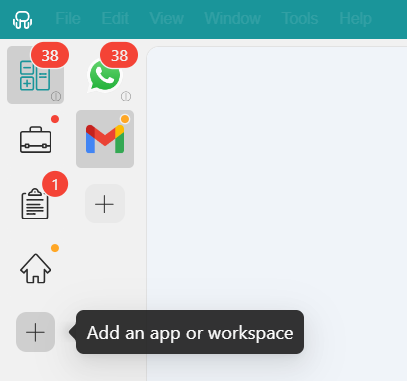
- Click the “Add an app or workspace” button in your main tab or Workspace.
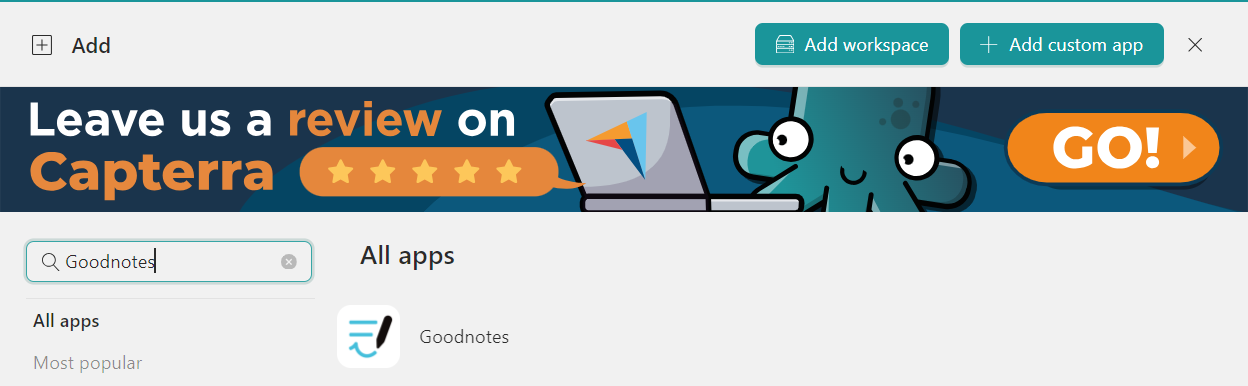
- Type “Goodnotes” or “Notability” in the search panel on the left.
- Configure the application settings to your liking. You can also choose which Profile the app should use.
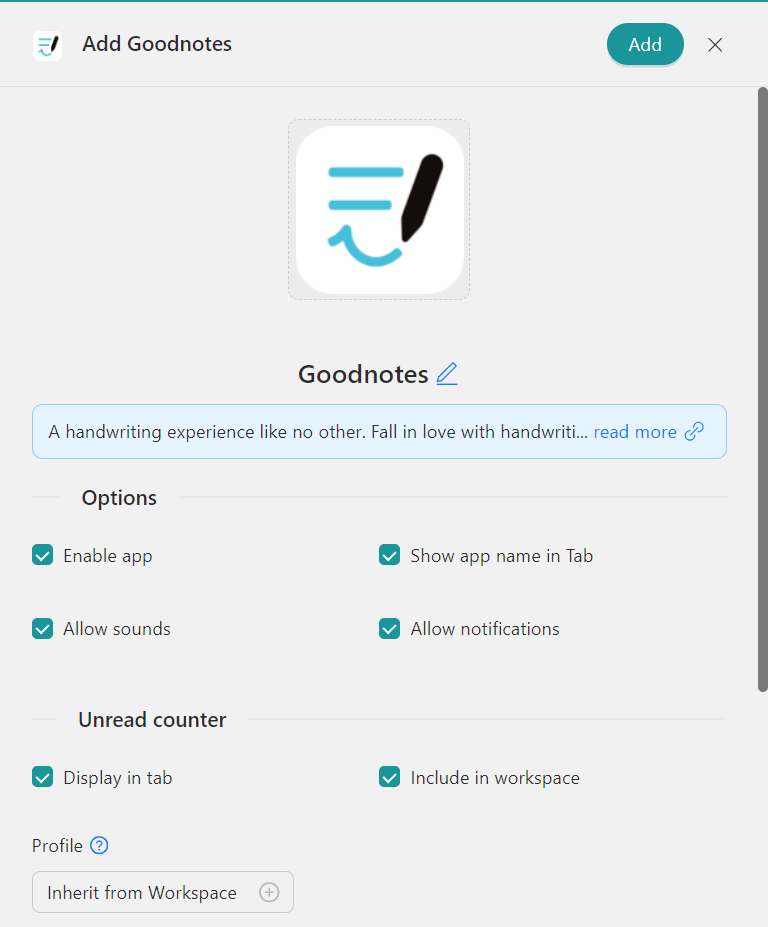
- Click “Add,” and the app will be added to your Rambox Workspace.
Sounds good? Try Rambox for free, download the app, and organize your work apps in one place.