
Two names usually come up when teams and individuals look for better ways to organize work: Notion and Trello. Both platforms help manage tasks, projects, and collaboration, but they approach productivity in very different ways.
Notion acts as an all-in-one workspace where you can combine notes, databases, documentation, and workflows. Trello focuses on simple, visual Kanban boards designed for straightforward task tracking.
So which one should you choose?
Choosing between Notion and Trello is not always straightforward. It depends on how you work, what you need to organize, and how complex your workflow is. In my experience, the differences become much clearer once you start using these tools across multiple projects or contexts.
In this guide, we compare Notion vs Trello to help you understand the key differences and decide which tool fits your workflow best.
Notion vs Trello at a glance
If you just want a quick overview before going deeper, this table highlights the main differences between Notion and Trello.
| Notion | Trello | |
| Main focus | All-in-one workspace for docs, tasks, and databases | Visual task management with Kanban boards |
| Best for | Teams needing flexibility and structure | Teams wanting simplicity and fast setup |
| Task views | Boards, lists, tables, calendars, timelines | Boards (lists and cards), with additional views via Power-Ups |
| Customization | Very high | Limited (extended with Power-Ups) |
| Automation | Basic workflows and integrations | Built-in automation with Butler |
| Integrations | Native integrations + API + Zapier/Make | Large Power-Up ecosystem, strong with Atlassian tools |
| Ease of use | Medium learning curve | Very easy to use |
| Typical users | Product, content, and operations teams | Small teams, marketing, simple workflows |
What is the main difference between Notion and Trello?
The main difference between Notion and Trello comes down to flexibility vs simplicity.
- Trello is built around a fixed structure: boards, lists, and cards. You can set it up in minutes and start working immediately.
- Notion is a flexible system where you build your own structure using pages and databases. It can adapt to many use cases, but it requires more setup.
This difference becomes more noticeable as your workflows grow. What feels fast and simple at the beginning can become limiting over time, while more flexible systems can take longer to set up but scale better as your needs evolve. For me, this is usually the deciding factor, more than any specific feature.
In short:
- Trello helps you manage tasks quickly
- Notion helps you build a system around your work
Notion vs Trello: Features comparison
Both tools cover the basics, but their strengths appear when workflows become more complex.
Task management and boards
Task management is the core of both tools. How you organize and move tasks day to day has a direct impact on speed, clarity, and team alignment.
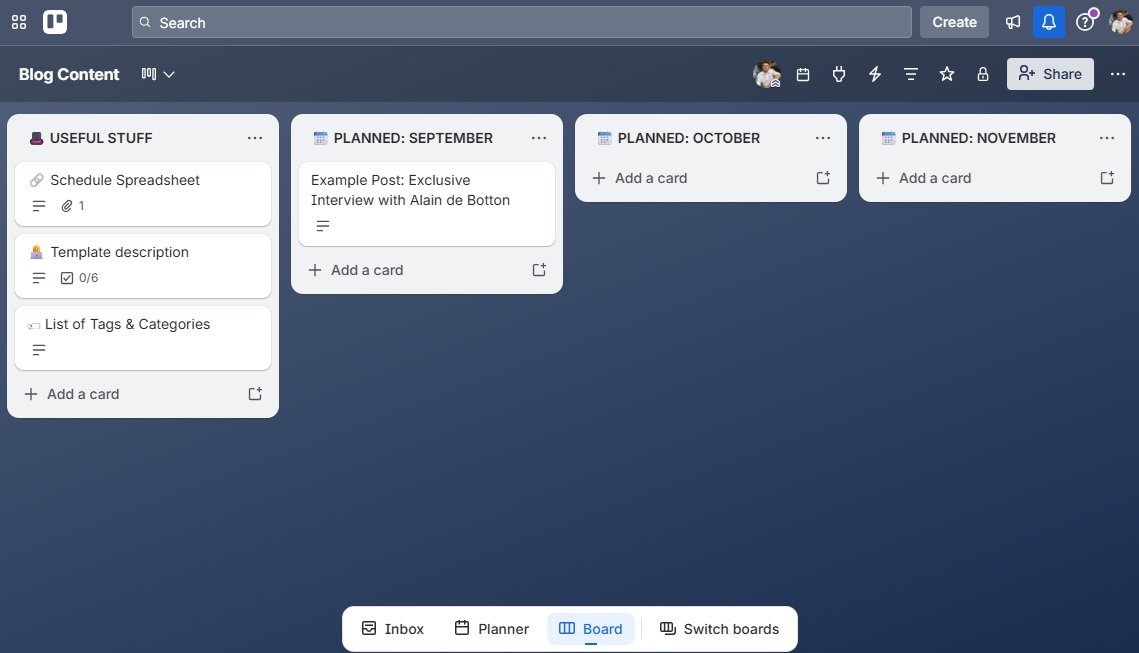
- Trello was built for Kanban workflows. Moving cards across lists is fast, intuitive, and highly visual.
- Notion also supports boards, but as part of a broader system where the same data can be viewed as a list, calendar, or timeline.
Winner: Trello
If your goal is simple and visual task tracking, Trello is easier and more efficient.
Databases and custom views
As workflows grow, many teams need more than just lists. They need structure, filtering, and the ability to connect different types of information.
- Notion allows you to create structured databases with properties, filters, relations, and multiple views.
- Trello works with lists and cards, and while you can extend it, it does not offer true relational databases.
Winner: Notion
If your work depends on structured data or evolving workflows, Notion is significantly more powerful.
Documentation and knowledge management
Beyond tasks, many teams need a place to store and organize information. Documentation becomes critical as teams scale or processes become more complex.
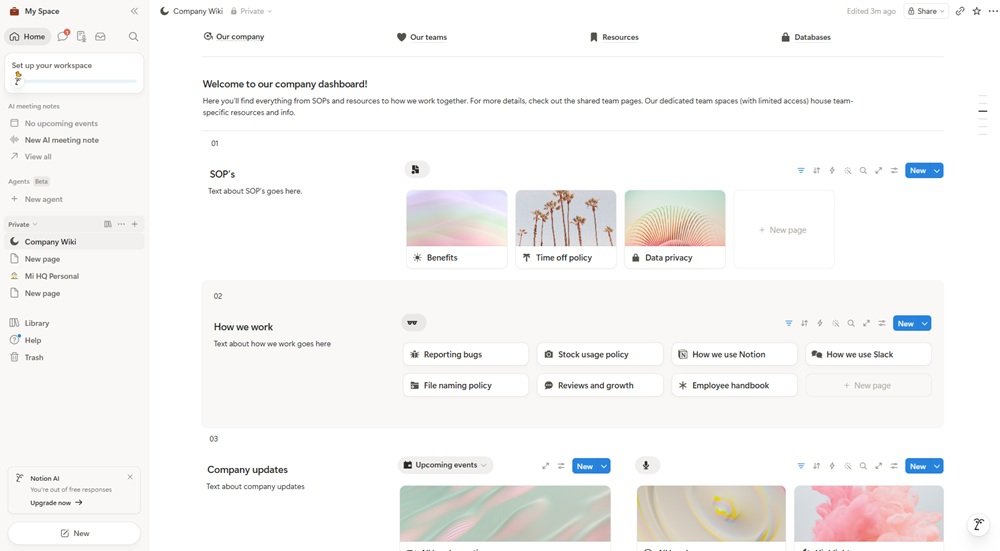
- Notion is designed for documentation. You can create wikis, guides, internal docs, and connect them with your tasks.
- Trello is not built for this. Cards can hold information, but they are not a replacement for a knowledge base.
Winner: Notion
For teams that need a central place for information, Notion is the better fit.
Automation and workflows
Automation helps reduce repetitive work and keeps processes moving without manual intervention.
- Trello includes built-in automation through Butler. You can create rules like “when a card moves, assign a user or set a due date.”
- Notion supports basic automations and integrations, but workflow automation is not as central to the product.
Winner: Trello
For straightforward automation without setup complexity, Trello is more practical.
Integrations
Most teams rely on multiple tools, so integrations play an important role in keeping workflows connected
- Notion integrates with tools like Slack, Google Drive, and GitHub, and can be extended through API and automation platforms like Zapier.
- Trello offers a broader and more mature ecosystem through its Power-Ups, especially within the Atlassian stack.
Winner: Trello
If your workflow depends on connecting many tools, Trello usually offers more options out of the box.
Reporting and analytics
Tracking progress and performance becomes more important as projects grow or involve multiple stakeholders.
- Notion allows you to build dashboards using database views, but reporting capabilities are still limited compared to dedicated tools.
- Trello offers basic reporting and can be extended with Power-Ups for analytics.
Winner: Notion (with limitations)
Notion gives more flexibility for building custom dashboards, but neither tool is a true reporting platform.
Notion vs Trello: Pricing comparison
Pricing for both Notion and Trello is relatively straightforward, with free plans and several paid tiers depending on features and team size.
Below is a snapshot of their pricing based on annual billing, as of April 2026. Prices may change over time.
| Plan | Notion | Trello |
| Free | Free Free for individuals, with usage limits (file uploads, guests, permissions) | Free with unlimited cards, limited boards per workspace and restricted automation |
| Mid-tier | Plus: $10/user/month | Standard: $5/user/month |
| Advanced | Business: $18/user/month | Premium: $10/user/month |
| Enterprise | Custom pricing | From ~$17.50/user/month (scales with users) |
Key difference:
- Notion is positioned as an all-in-one tool, which can replace documentation tools, basic databases, and task managers
- Trello is focused on task management, and is often used alongside other tools in a broader stack
This means comparing price alone can be misleading. The real cost depends on how many tools each platform replaces in your workflow.
Free plans: what can you really do without paying?
Both tools offer generous free plans, but they are designed for different types of use.
Notion (free plan)
Notion’s free plan is very flexible, especially for individual users.
You can:
- Create pages, databases, and boards
- Build simple workflows
- Use it as a personal knowledge base or lightweight project manager
However, limitations appear as usage grows:
- File upload limits
- Restrictions on advanced permissions and admin features
- Collaboration features are more limited for teams
In practice, Notion’s free plan works well for individuals or small setups, but teams often need to upgrade as workflows become more structured.
Trello (free plan)
Trello’s free plan is easy to use and quick to set up.
You can:
- Create boards, lists, and cards
- Manage simple workflows
- Collaborate with small teams
Limitations become visible over time:
- Limits on the number of boards per workspace
- Restrictions on automation runs (Butler)
- Limited access to advanced Power-Ups
In practice, Trello’s free plan is ideal for simple task tracking, but can feel restrictive as workflows grow or require automation.
What extra costs should you watch for?
Even if the base plans are clear, some features may require upgrades depending on how you use each tool.
- Notion AI may be included in higher plans or available as an add-on, depending on the plan and current pricing model
- Trello Power-Ups and automation limits vary by plan, and advanced use cases may require upgrading to higher tiers
In practice:
- Notion can become more expensive per user, but may replace multiple tools
- Trello is cheaper upfront, but often part of a larger tool stack
Final takeaway on pricing
- Choose Notion if you want to consolidate multiple tools into one platform
- Choose Trello if you need a simple, cost-effective task manager
The real question is not just “which is cheaper” but how many tools you need alongside it to get your work done.
Notion vs Trello: Ease of use
Ease of use looks very different in Notion and Trello, especially once you move beyond the first few tasks.
- Trello is easy from the first minute. You create a board, add lists, and start moving cards. There is almost nothing to configure, so you can get value immediately.
- Notion works differently. When you start, there is no clear structure unless you create it. You need to decide how to organize pages, databases, and workflows before it becomes useful.
The difference becomes clearer as your work grows.
- In Trello, everything is simple at the beginning, but working across multiple boards or projects can make it harder to keep a global view.
- In Notion, the initial setup takes more time, but once your structure is in place, tasks, documentation, and data stay connected in the same system.
Best use cases
Choosing between Notion and Trello is less about features and more about how your team works daily.
Some teams need speed and clarity. Others need structure and flexibility. The right choice depends on whether you are optimizing for simplicity or for long-term organization.
Here is a quick way to think about it:
| Use case | Best option | Why |
| Simple task tracking | Trello | Fast, visual, no setup needed |
| Complex workflows | Notion | Flexible databases and views |
| Documentation and wiki | Notion | Built for knowledge management |
| Small teams | Trello | Easy onboarding |
| Content and product teams | Notion | Combines planning and documentation |
Beyond these examples, there is a broader pattern:
- Trello works best when tasks are the center of your workflow
- Notion works better when tasks are just one part of a larger system
This is why many teams start with Trello and later move to more flexible tools, or combine both depending on their needs. In the end, I tend to think less about features and more about how I want my work to be structured.
Notion vs Trello: Pros and cons
Notion
Pros
- Highly flexible
- Combines tasks, docs, and structured data
- Suitable for building internal systems
Cons
- Learning curve
- Requires setup and ongoing maintenance
- Can become disorganized without clear structure
Trello
Pros
- Very easy to use
- Visual and intuitive
- Quick to set up
Cons
- Limited customization
- Not ideal for documentation
- Can become fragmented across multiple boards
Which app should you choose?
The right choice depends on how your team works.
- Choose Trello if you want a simple, visual way to manage tasks without complexity.
- Choose Notion if you need a flexible system that combines tasks, documentation, and structure.
- Use both if your team separates execution (Trello) and knowledge (Notion).
Working across projects: where things get more complex
Managing tasks in Notion or Trello is relatively simple when you focus on a single project.
The challenge appears when you start working across multiple projects, teams, or contexts at the same time.
- In Trello, this usually means switching between multiple boards. Each project lives in its own space, so keeping a global view requires constant navigation.
- In Notion, you can centralize more information, but you still move between pages, databases, and views depending on how your workspace is structured.
Over time, this creates small but constant friction:
- Switching between boards, pages, or views
- Losing track of where a task or conversation is
- Opening multiple tabs to follow different projects
- Jumping between tools like email, chat, or storage
On top of that, notifications add another layer of distraction.
Both Notion and Trello can send updates for mentions, comments, or task changes. When combined with other tools, this can quickly turn into a constant flow of interruptions. The challenge is no longer just managing tasks, but managing attention.
Keeping your tools under control
In most real workflows, Notion or Trello are just part of a larger setup. You might also be using:
- Slack
- Microsoft Teams
- Gmail or Outlook
- Google Drive or Dropbox
- AI tools and other apps
- And many other apps
Each tool solves a specific problem, but together they create a new one: fragmentation. This is where Rambox changes the way you work.
Instead of organizing your work inside each tool, Rambox lets you organize your tools around your work.
You can create different workspaces for each context: projects, clients, teams, or even personal vs work. Inside each workspace, you add the apps you need for that specific context.
For example:
- A client workspace might include their Slack channel, a Trello board, and a shared inbox
- A project workspace might include a Notion database, documentation, and related tools
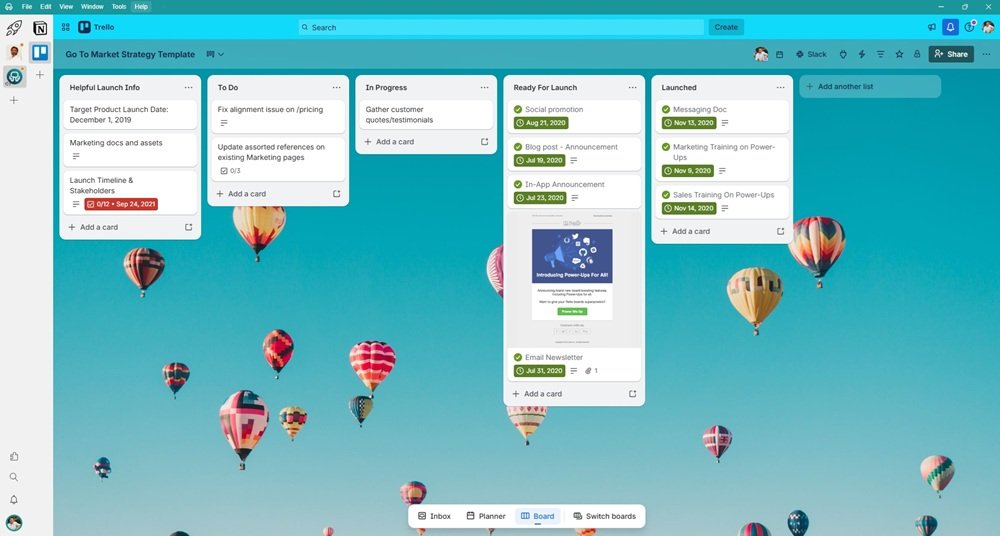
Each app opens directly in the right place for that context. That means:
- A Trello board is already open for that project
- A Notion page or database is already in the right view
- Conversations and files are tied to that specific workspace
Instead of switching between boards, pages, or accounts inside each tool, you switch context once, and everything else is already in place.
This removes a big part of the friction:
- No need to navigate between multiple boards or views
- No need to remember where things are
- Fewer tabs, fewer interruptions
You stay focused on the work, not on finding it. From what I’ve seen, the tool you choose matters, but how you organize your work around it makes a bigger difference over time.
Organize your work by context, not just by tools.
Try Rambox for Free!
Notion vs Trello FAQs
Is Notion better than Trello?
It depends. Notion is better for flexibility and documentation. Trello is better for simple task management.
Can you use Notion and Trello together?
Yes. Many teams use Notion for documentation and Trello for task execution.
Which tool is better for small teams?
Trello is easier to adopt. Notion works better if the team needs more structure over time.
Is Trello too simple?
For complex workflows, it can be limiting. But for many teams, its simplicity is exactly what makes it effective.
Is Notion difficult to use?
Notion is not difficult, but it requires more initial setup and organization compared to Trello.